Ownboard W2 Pro Review – should it get some hype?

Today, we will be reviewing the Ownboard W2 Pro. 

It’s a $699 USD dual belt-drive electric skateboard that’s the newest flagship of Ownboard.

Ownboard hasn’t been given much attention lately, and they had a pretty rough 2020. Their Bamboo AT took a backseat to Wowgo’s AT2; while in the mid-tier segment, the Exway Flex and Backfire Zealot stole the scene from their W2 model.

So can their latest flagship, Ownboard W2 Pro, help them get the spotlight this time? 

Ownboard W2 Pro is the big brother of W2 and is designed to challenge the Backfire Zealot and Exway Flex’s overall performance.

That’s why it’s not a big news for both the price and specs of Ownboard W2 Pro compete against the Backfire Zealot—the best midtier longboard available right now, at least from our perspective.

Will the W2 Pro compete against the top dogs this time around?

As usual, let’s run through the specs first.

Build and Specs

  • Deck: Bamboo + fiberglass, flexible, no concave, camber/rocker profile
  • Electronic Speed Controller (ESC): 12s Hobbywing ESC 
  • Marketed Top Speed: 26mph (42 km/h)
  • Battery: 12s2p 21700 cells, 8.0Ah and 345.6 wh
  • Marketed Range: 18.5 miles (30km)
  • Wheels: 105mm Cloudwheels, 40T Abec pulley, can be changed with other pulleys (32T Abec pulley and 36T Kegel pulley)
  • Trucks: Paris clone (customized with PU ring)
  • Weight: 19.5 lbs (8.8 kg)

The Ownboard W2 Pro uses a flexible deck that’s made up of bamboo and fiberglass. It has no concave and gives a flat profile.

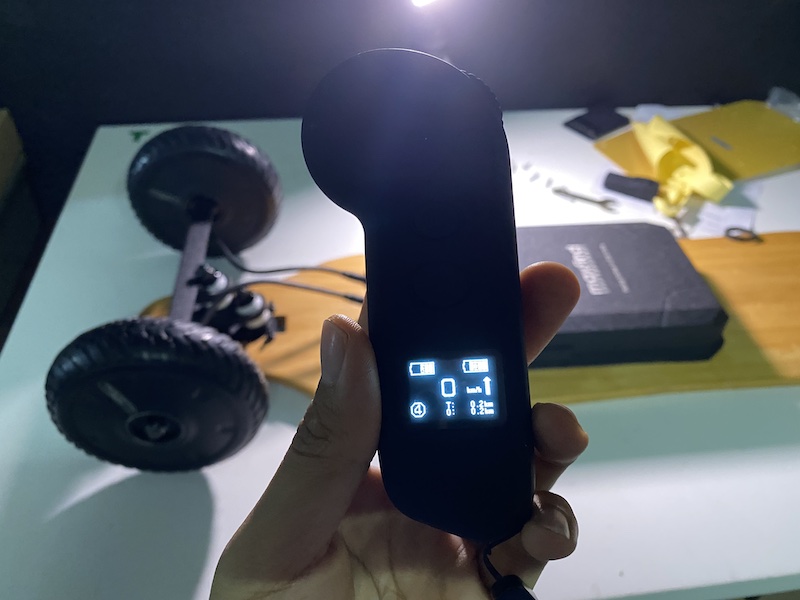
The board also uses the 12s Hobbywing for the electronic speed controller (ESC) and paired it with a generic OLED remote.

If you’re familiar with Hobbywing ESC, you would already know that this speed controller will give you silky smooth acceleration and braking, with intuitive control.

This is an older generation of the Hobbywing ESC, though, which means it has no smart power-on feature.

For the battery, the Ownboard W2 Pro uses 12s2p 21700 cells that will give you 8.0 AH and 345.6 WH. The marketed range is 18.5 miles or 30 km and we managed to hit 19miles or 31 km. Pretty cool!

The W2 Pro also went with aluminum alloy die-casting for the battery enclosure as compared with the usual plastic enclosure for durability.

And for higher power density, Ownboard W2 Pro uses dual 750W motors with 160 Kilo-volts and 5255 dual belt motors. These belt motors are similarly rated to the one on Backfire Zealot.

To know more about the Backfire Zealot, click here.

In our speed test, we were able to hit its top speed of 26mph or 42 km/h.

Now, let’s move on to the wheels.

Choose your own wheels

The Ownboard W2 Pro uses 105 mm Cloudwheels which have a good ceramic bearing. These are good semi-all terrain wheels that can handle most road conditions. 

If you prefer a different style, Ownboard also made a few different wheel pulleys available to purchase so you can change your wheels effortlessly.

The available pulleys are the 32T Abec pulley and 36T Kegel pulley. The board comes with the 40T Abec pulleys for the Cloudwheels.

Ownboard also gave a few tips such as pairing 90 mm wheels with the 32T Abec and at least 100 mm or bigger wheels for the 36T Kegel. Torqueboard or Boa’s 110 mm wheels are among the recommended options for the 36T Kegel pulley.

Suggestions aside, you still have the freedom to choose any type of wheels on your checklist since the pulleys are available.

You can even experiment with Windwheels! They are wonderful in handling road vibrations, too.

Customized Paris clone trucks

The trucks are a Paris clone with a few adjustments. Many of the boards in this price range use branded trucks so this might be a disappointment for some. For instance, Wowgo 3 uses genuine Paris trucks while Backfire uses Caliber II. As for Exway, they have their own proprietary Trist trucks, while Meepo uses unbranded OEM Boosted trucks for their NLS belt.

But branded or not, the important thing is still on how well the truck performs. We’ll talk about that later in the riding experience.

Lastly, the Ownboard W2 Pro weighs 19.4 lbs or 8.8 kg.

Overall, the board is pretty polished, not as refined as most premium boards obviously, but for $699, it’s fine.

Now it’s time to ride!

Riding experience

The Ownboard W2 Pro has 3-speed modes that are perfectly smooth. The top speed mode has very steady yet effortless acceleration and brakes. 

To be honest, the W2 Pro goes up on our list of tested boards with the strongest torque in the mid-range category. We’ll go ahead and say that this ride is as strong as the Beastboard Viper—another power freak we tested. We were amazed!

To learn more about the Beastboard Viper, click here.

Even with a low battery, the W2 Pro’s torque remains strong, but the top speed will be capped at 20.5mph or 33 km/h.

The board isn’t difficult to maneuver, either. The Paris clone truck Ownboard used is not the same as the average Paris clone.  Ownboard made some modifications to the truck, as the result, the trucks are actually very good! In our opinion, it is surprisingly on the same level as with Exway’s Trist Trucks.

The rebound to the center is good, and the board ride is very secure at high speed. Carving is superb and fun with the W2 Pro. The board is very responsive.

On the downside, the lack of concave on the deck did make us feel hesitant when riding at top speed. We had trouble gripping with our foot position, and that took away the cool vibe.

Still, if you consider the great combination of smooth control + a flexible deck + good quality trucks, then you would get a board that does wonders for carving. 

So how was the ride with Ownboard’s W2 Pro on smooth and rough roads?

Here’s what we got:

On a smooth road, the narrow contact patch of the Cloudwheels took away the sticky, grippy smoothness of the ride. This made carving less fun as compared with your regular street wheels, thankfully, Ownboard W2 Pro allows you to change into regular street wheels easily.

When riding on rough roads, this is where the 105 mm Cloudwheels shines. These wheels won’t break a sweat on crossing over bumps and holes, and they cushion you in the vibrations safely.

Finally, here’s our verdict.

THE VERDICT

All specs and riding experience considered, should Ownboard finally get some hype in the eskate community?

Definitely. 

Ownboard W2 Pro is a board that deserves more attention. The board combines power and smoothness perfectly. Plus, this baby is great in both performance and riding experience.

However, is it great enough to outdo the Backfire Zealot as the best electric skateboard under $700? 

Well, that depends. 

Backfire is still the champ when it comes to delivery and post-sale service. 
Ownboard may come weaker in both brand and polish, but they make up for it by offering more value for your buck.
With Cloudwheels coming in stock for the Ownboard W2 Pro and not on Backfire Zealot, you get to save $150 on the Cloudwheels by choosing Ownboard—especially if your goal is to have a semi-AT board on the go. 

The Ownboard W2 Pro is much stronger in torque, too.

So the big deciding factor is, will you pick polish or value?

While the Ownboard W2 Pro and Backfire Zealot are pretty much tie in most aspects, I suspect most of us will find the more polished Zealot an overall better choice. However, the Ownboard W2 Pro might suit you better if you want something with stronger acceleration or prefer Cloudwheels to come in pre-installed.

So while Ownboard W2 Pro won’t replace Backfire Zealot on our Best Electric Skateboard list just yet, it’s nonetheless a very good choice worthy of your attention.

If you are interested in buying an Ownbaord, be sure to check out our affiliate discount link here and uses code: “ESKATEHQ” during checkout.
It will help you get a small monetary discount and helps us out too. On top of that, you’ll be tagged as an Electric Skateboard HQ customer and probably be treated better. Cheers!

Maxfind M6 Drive Kit Review – All-terrain? Booster Drive?

Today, we will be reviewing the Maxfind M6 Drive Kit.

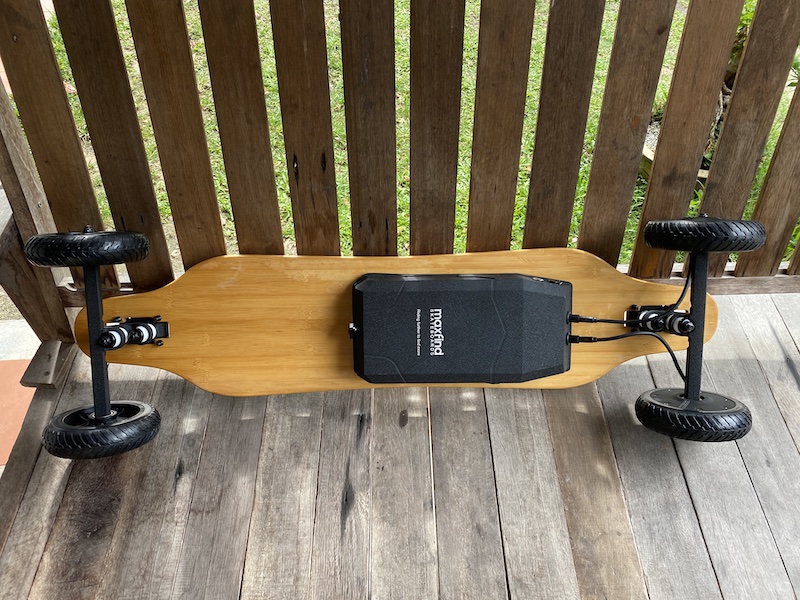
This is an $869 (USD) all-terrain electric skateboard drive kit. To those who are new to the e-skate hobby, a drive kit is what you attach on skateboards or longboard decks to instantly transform them into an electric skateboard.

Aside from Maxfind, other notable drive kits in the e-skate scene are Loaded x Unlimited, Mellow Drive, and Revel kits, but Maxfind M6 Drive Kit challenges its competitors for being the only all-terrain drive kit on the market.

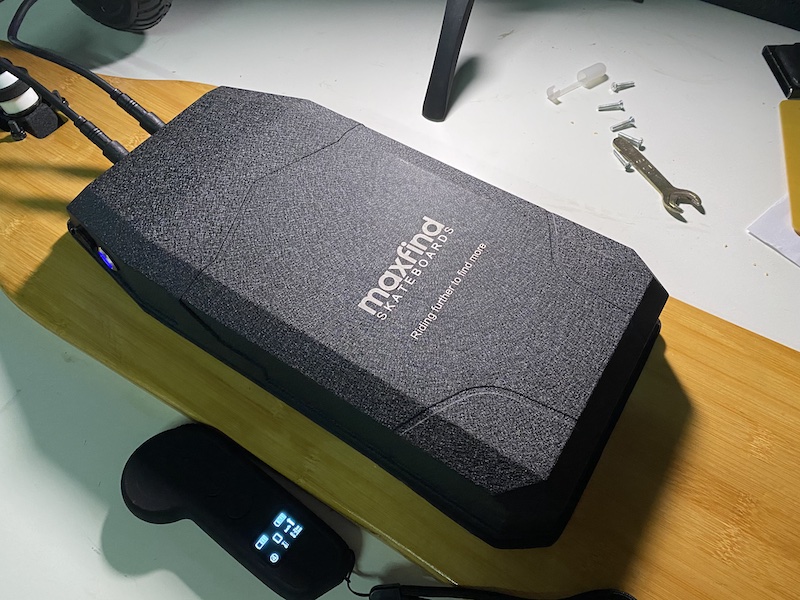
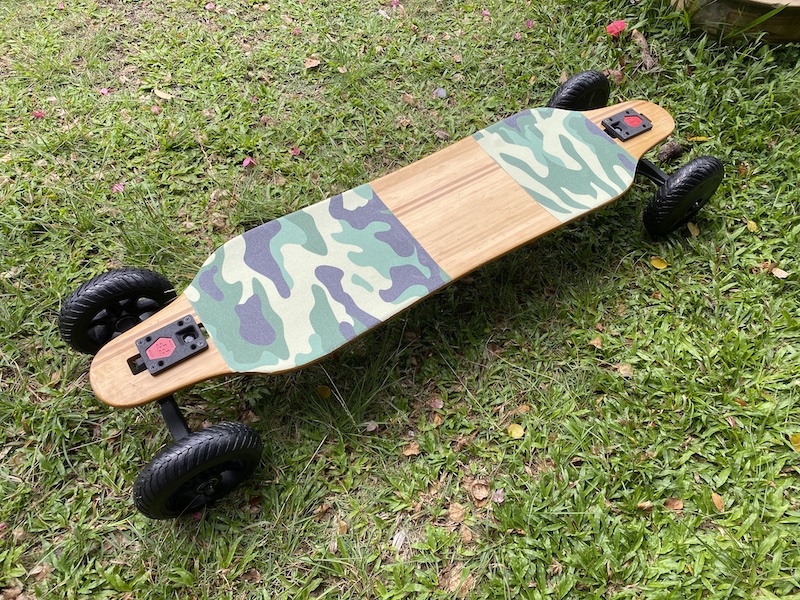
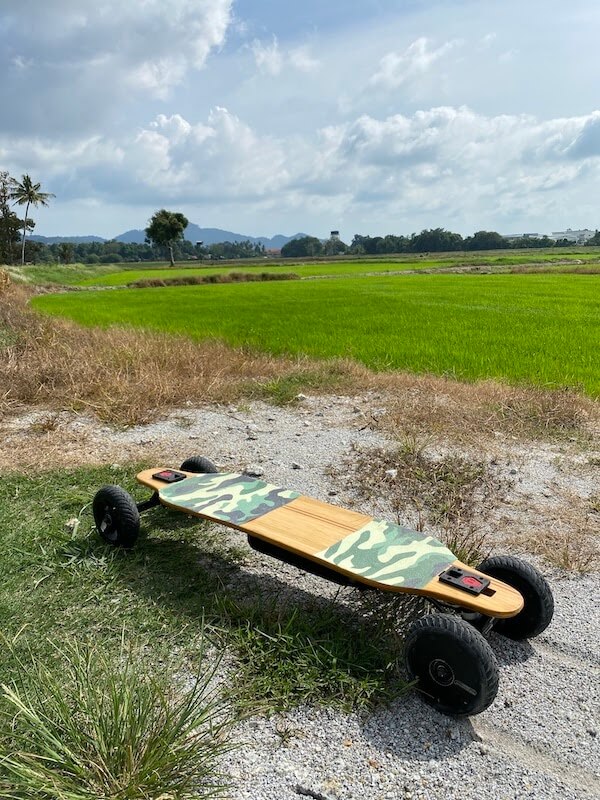
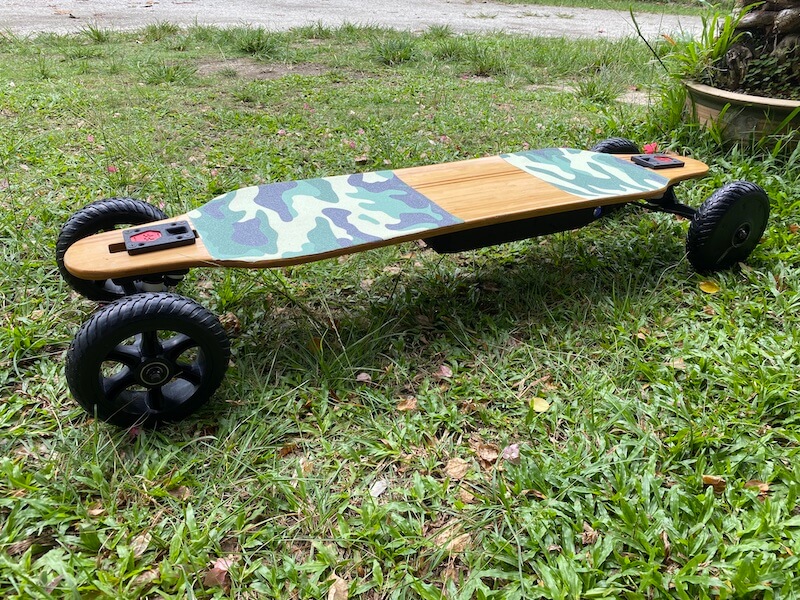
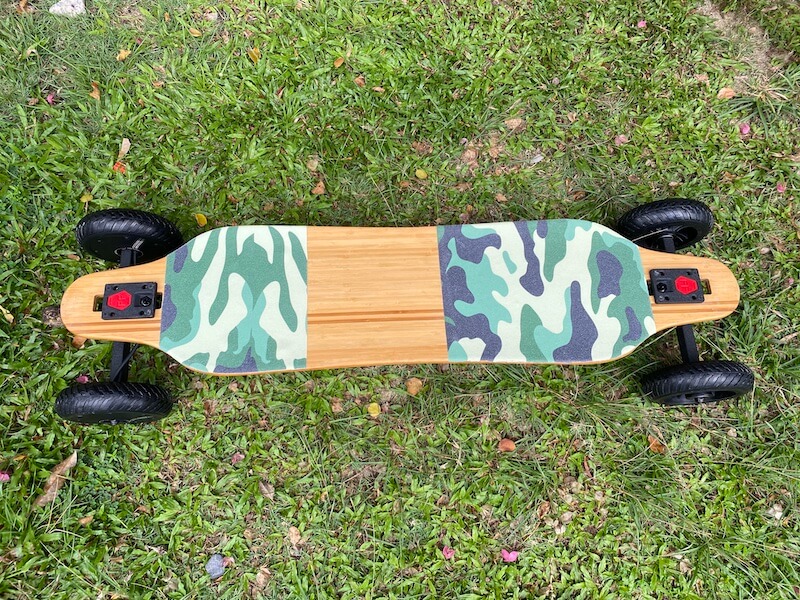
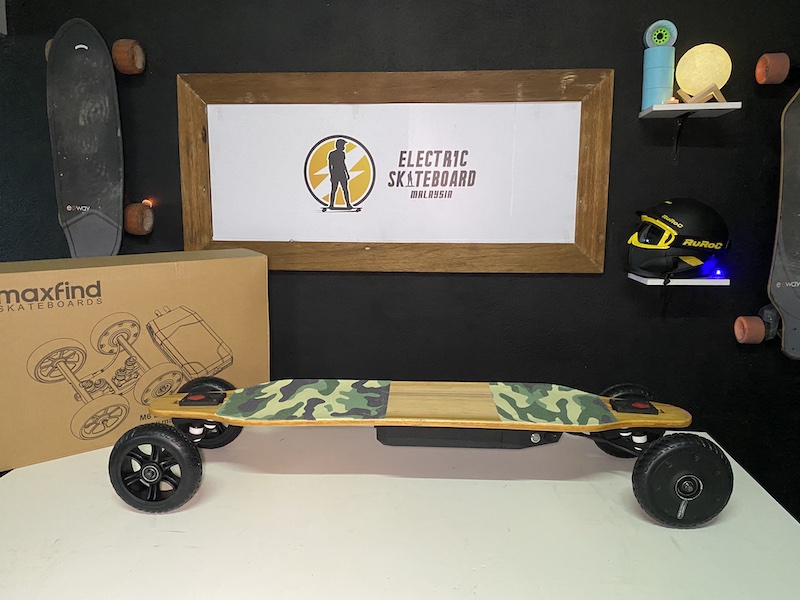
Maxfind M6 Drive Kit on a drop-through maple deck with camou grip tape

So if there’s a pretty awesome deck you want to use, and don’t mind the effort of drilling 6 screw holes on the deck, the M6 Drive kit is an option.

Will it be a good option though? Let’s find out!

Let’s take a look at the specs first.

Build and Specs

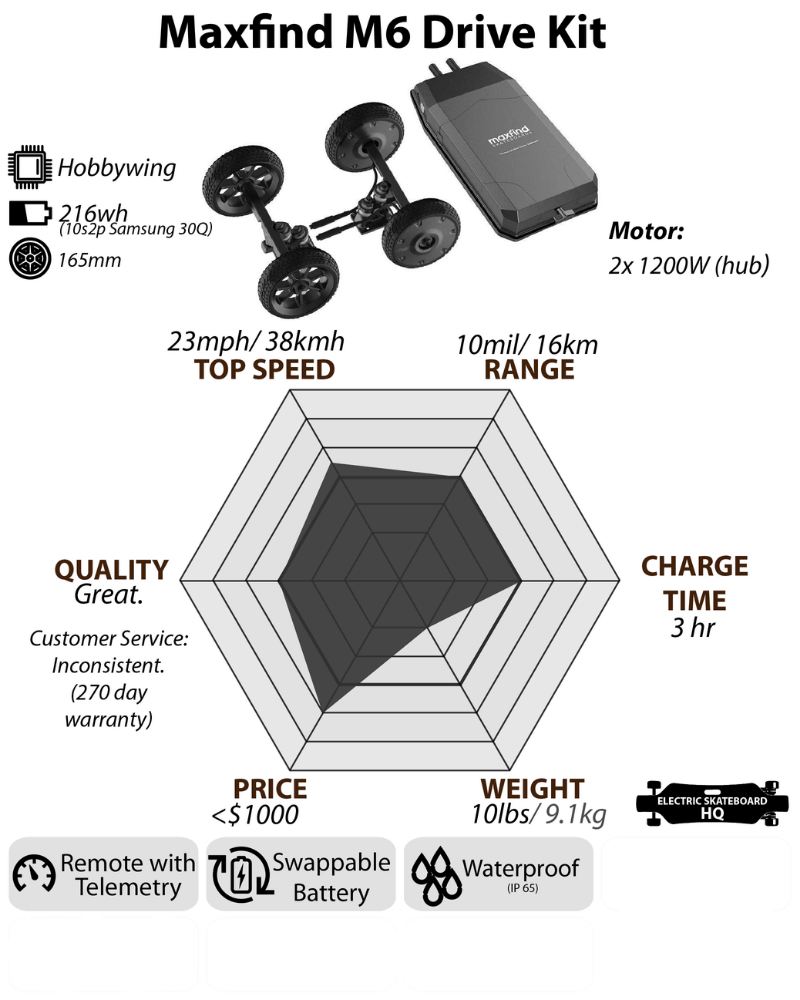
Maxfind M6 Drive Kit Build and Specs Chart
  • ESC: 10s Hobbywing ESC
  • Battery: 10s2p Samsung 30Q cells (6.0Ah and 216 wh), Hot-swappable
  • Marketed range: 16km
  • Motors: Dual 1200W hub motors
  • Top speed: 38km/h
  • Wheels: 6.5 in airless rubber wheels
  • Trucks: Double Kingpin, 11.4 in, 98a bushings
  • Weight: 18.7lbs or 8.5kg (deck not included) 

Electronic Speed Controller

The Maxfind M6 Drive Kit uses a 10s Hobbywing Electronic Speed Controller. Those who are familiar with the Hobbywing ESC already know that this speed controller allows exceptionally smooth acceleration and braking, with intuitive control.

Maxfind M6 Drive Kit uses Old-gen Hobbywing ESC

Unfortunately, this is an older generation of Hobbywing ESC, which means this kit has no smart power-on. Smart power-on is a very convenient feature if you want the board to turn on with just a press on the remote.

To know more about electronic speed controllers, click here.

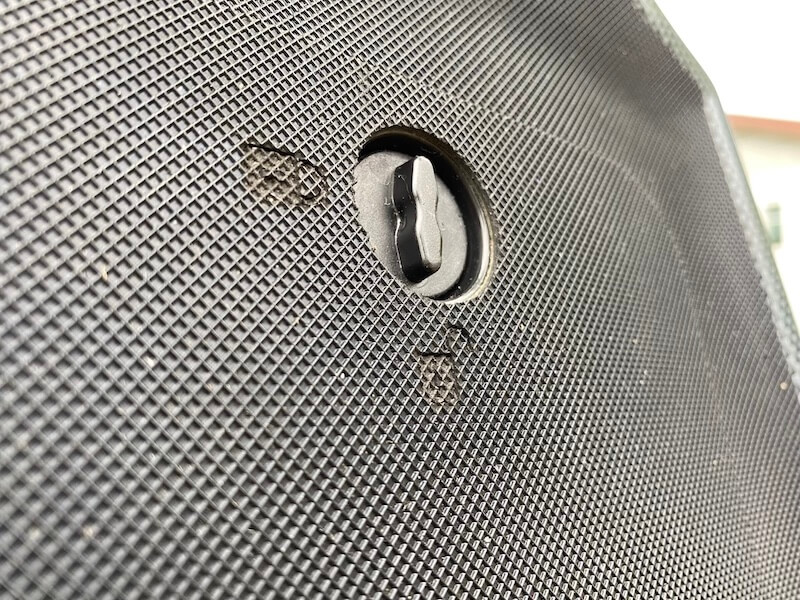
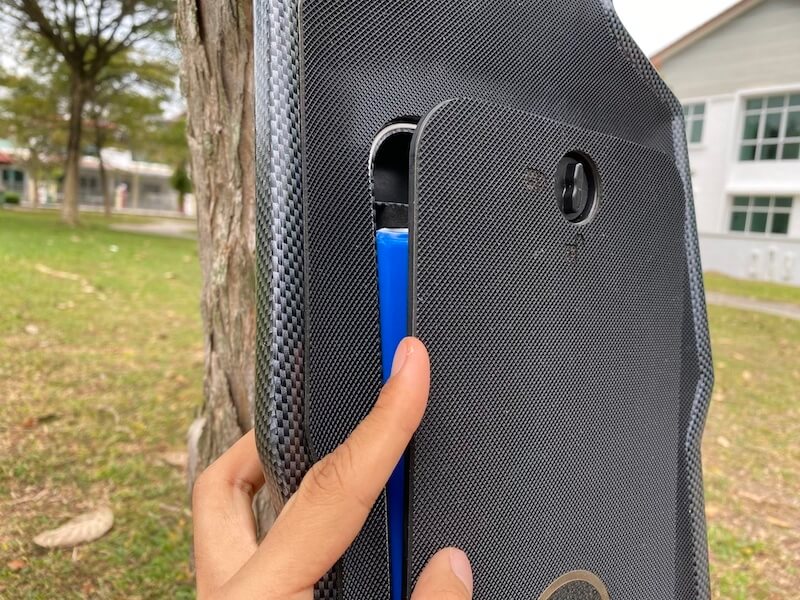
Hot-swappable battery

For the battery, M6 Drive uses 10s2p Samsung 30Q cells, which means you’ll get 6.0 Amp-hours and 216 watt-hours. These are genuine Samsung cells, and Maxfind cited it as the reason behind their higher cost. Hence, the price tag. 

Maxfind M6 Drive Kit has a hot-swappable battery

Using a better cell might make the battery last longer, but it definitely didn’t help increase M6’s range. The kit’s marketed range is 10miles or 16km, but we only got 7.5 miles or 12km out of it. 

The batteries are hot-swappable, though. So, you can technically ride for hours as long as you carry extra battery packs. However, the batteries are pretty expensive and will cost you $200 for each extra pack.

Dual Hub Motors 

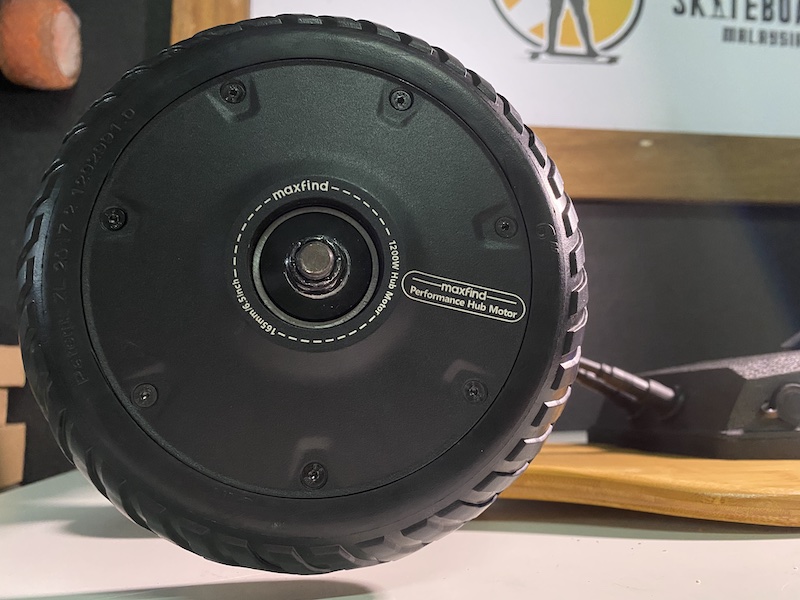
Next, let’s talk about the motors. This drive kit uses Dual 1200W hub motors. Hub motors don’t require belts and are less prone to maintenance. Another plus for hub drives is that they sound quieter than belt motors.

Maxfind M6 Drive Kit uses Dual Hub Motors

However, a hub drive has less torque than a belt drive or gear drive, that’s why we rarely see it in an all-terrain set-up. We’re pretty excited to test how well the dual 1200W motors will perform in an off-road setting, given that it has less torque for acceleration.

Close-up of the Maxfind M6 Drive Kit Dual Hub Motor

The marketed speed specs are 23mph or 38km/h, and we managed to hit that.

Airless Rubber Wheels

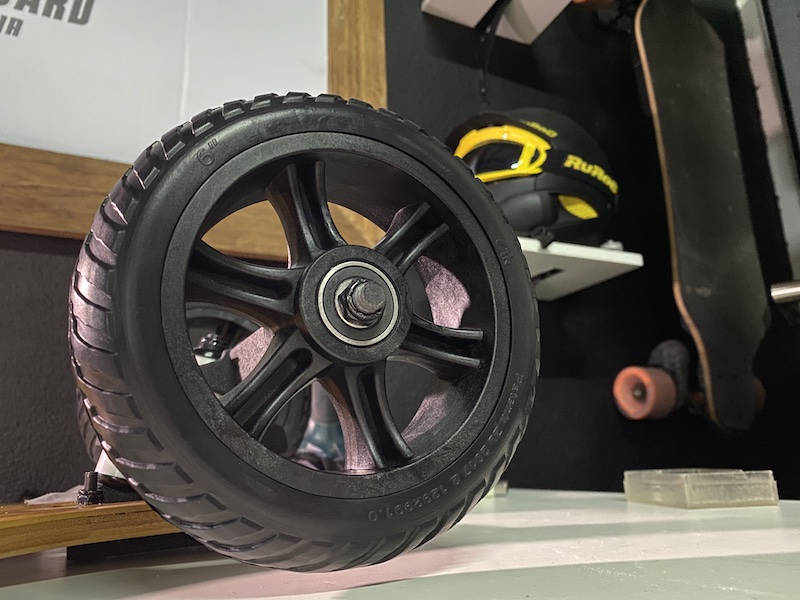
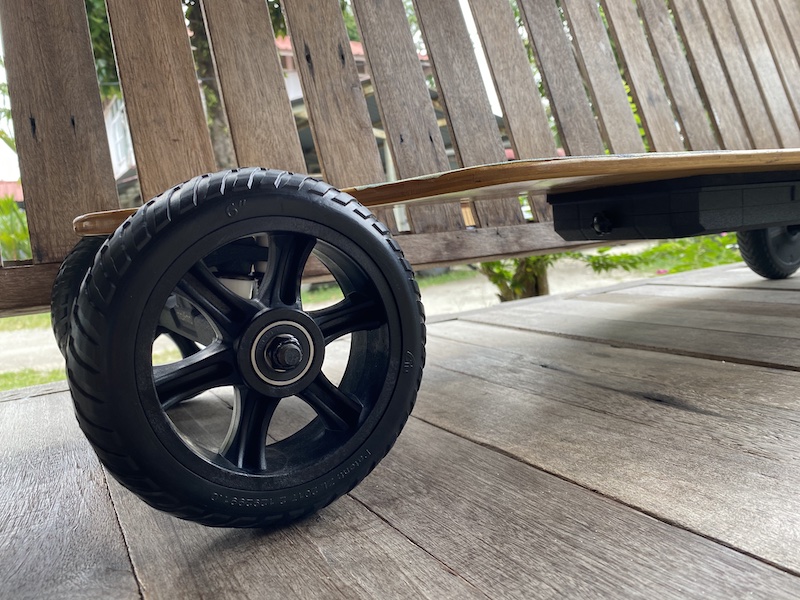
For the wheels, the M6 kit uses 6.5-inches airless rubber wheels. You won’t need to worry about the tire pressure, nor puncturing them. 

Maxfind M6 Drive Kit uses Airless Rubber Wheels

On the downside, you can expect a more bumpy ride, but the wheels are definitely big enough to roll over anything on a paved road.

Double Kingpin Trucks

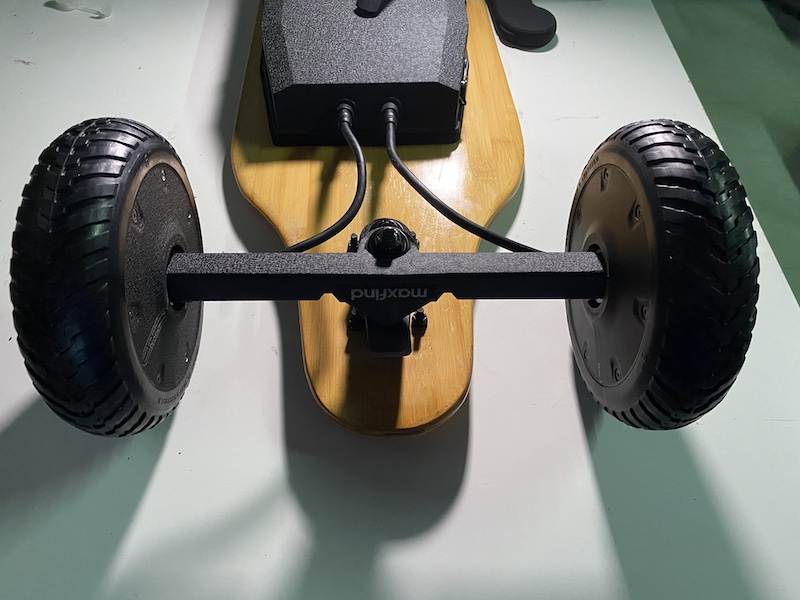
For the truck, the Maxfind M6 Kit uses 11.4-inch Double Kingpin Trucks with 98a bushing. Reverse kingpin trucks are more commonly used for all-terrain, so we’re also interested in how this set-up will play out.

For those who don’t know, Double Kingpin Trucks allow easier changes in direction with tighter turns.

However, after reviewing more than a few DKP trucks, we know that the quality between good and bad Double Kingpin trucks is very far from each other. The good ones have great rebound to the center which allows easy turns while still being very stable. The less great ones, however, are twitchy and can feel unstable during high speed. 

Unfortunately, we are very familiar with Maxfind’s DKP trucks and know that it belongs to the latter group. 

To know more about electric skateboard trucks, click here.

Lighter than most all-terrain eskates

The drive kit weighs 18.7lbs or 8.5kg alone. After slapping the drive kit onto our drop-through maple deck, the board only weighs 23lbs or 10.5 kg. This is considered very light! 

Maxfind M6 Drive Kit is a Lightweight All-terrain Electric Skateboard

Most all-terrain boards weigh around 28lbs or 13kg. With a smaller battery pack than your usual all-terrain boards, the lighter weight is probably an unexpected benefit. 

Riding Experience

Now that we’ve gone through the build and specs, it’s time to ride!

Maxfind M6 Drive Kit on a drop-through maple deck with camou grip tape

Obviously, a huge part of your riding experience will depend on what deck you use.

In our review, we used a drop-through deck that’s rather stiff, but we think the best deck for this would probably be an aggressive double drop deck, since the drive kit is very slim in profile, and wouldn’t need much ground clearance. Plus, a lower riding height will make the board ride more stable, compensating for the twitchiness of the trucks.

Twitchy trucks have poor rebound and won’t help you return to the center easily. You might get a feeling of swaying when turning. The 98a bushing is supposed to be tight and hard, but it didn’t help much, and changing the bushing would probably improve its quality.

TAKE NOTE: the board side bushing can’t be tightened by the T-tool provided by Maxfind, so you would need to find a spanner and adjust the tightness yourself.

When it comes to speed control, the acceleration and braking have 4 speed modes. And as always, every speed mode is perfectly smooth with Hobbywing ESC. This speed controller may not always be powerful, but no such worries for the M6 Kits. The acceleration and brakes are both very strong in the top speed mode.

Better than street wheels

When it comes to all-terrain performance, the 6.5-inch wheels perform well on rough roads. These are airless rubber wheels, so they weren’t as good as pneumatic wheels, but even then they’re still much better than Cloudwheels, Windwheels, or any street wheels. You will still feel the vibrations, but it won’t be uncomfortable. 

Comparing the experience to pneumatic wheels however, I found the airless rubber wheels less impressive. But when compared with your typical street wheels, these are much better.

We tried it on sand, grass, and rough roads with gravel or rocks.

Riding on sand is fine. There was enough torque from the motors to handle it. The same goes for grass. The motors are powerful enough to go through thick grass and coconut husk. It’s just not strong enough for gravel or small rocks.

THE VERDICT

Now that we know the quality of the build and specs, will the process of slapping this drive kit on a board of your choosing be worth it? 

The Maxfind M6 Drive kit is a decent drive kit that offers decent performance. Its worst flaw would be the truck, but it can be fixed by swapping in your own bushing. 

The rather small battery pack is not a big deal, since the battery can be easily swapped out in the middle of the ride. And going with a smaller battery looks pretty sleek. It doesn’t only allow more clearance, it’s also lighter in weight.

Maxfind M6 Drive Kit's sleek profile

On the value side of things, being able to choose an awesome deck is a factor that you are obviously paying extra for. Maxfind M6 Drive Kits go around the same price when compared to similar performing, yet completely built AT boards that come with a deck.

For example, Maxfind’s own FF Plus – All-Terrain comes with a pretty sweet carbon fiber finish flexible deck, and only costs a hundred dollar extra! ($969). Unless you are very insistent on using your preferred deck, going with the FF Plus or another brand’s complete build would probably be a better option.

As a person who doesn’t want to hold a screwdriver unless I absolutely have to, an all-terrain drive kit is not that appealing to me. However, if you have a bad-ass deck that you want to convert into an all-terrain eskate, the M6 Drive Kit is currently your only choice. It is the only all-terrain drive kit on the market, after all. At least it is a reasonably decent one, and has a US warehouse to provide fast shipping.

If you are interested in buying a Maxfind, be sure to check out our affiliate discount link here and uses code: “ESKATEHQ” during checkout.
It will help you get a small monetary discount and helps us out too. On top of that, you’ll be tagged as an Electric Skateboard HQ customer and probably be treated better. Cheers!
Propel X4s Review – Unlock all path

Today, we will be reviewing the Propel X4S, a heavy-duty all-terrain electric skateboard by Propel EV.

Propel EV is not a new company; it’s one that was previously named Cycleagle and has been making prototype all-terrain electric skateboards for more than 5 years now. From what I know, they have a solid founding team, and what I have heard about them from others is not much different from what they write about themselves on their own website.

Propel EV makes heavy-duty all-terrain electric skateboards, or put simply, Baja-clones. They are trying to break into the market with the Propel X4S which is selling for $2650 now with 2 batteries. While this is a hefty price, Propel X4s is still more than $1000 cheaper when compared to a Bajaboard; and if it can sing “everything you can be I can be better” to the Bajaboard, then it deserves some serious attention.

So, is Propel X4s a good enough heavy duty all terrain machine? Let’s find out.

Propel X4S Specs and Built

Let’s talk about build details and specs. What are we really getting for Propel X4S nearly 3 grand price tag? 

Propel X4s Spec Chart
  • Carbon Fiber Deck: 46.4 inches (1180mm) long & 22 inches (560mm) wide
  • Electronic Speed Controller: Customized LingYi ESC
  • Belt Motors: four 1500W, size 6374
  • Top Speed: 27mph (45kmh).
  • Battery: 10s6p Samsung 35E (came with 2)
  • Range: 17 miles (27km) x 2 batteries
  • Wheels: 10-inch pneumatic tires
  • Suspension System: Vertical Shock Absorption
  • Weight: 60lb/27kg
  • Price: $2650 (extra battery included)

I have to emphasize that this board is HUGE.

It weighs 60lb (27kg), and its carbon fiber deck is 46.4 inches (1180mm) long and 22 inches (560mm) wide. If you’re driving a hatchback (I am), this board might not fit in your trunk (it almost doesn’t!).

Deck

It also has a gorgeous carbon fiber deck with a very aggressive concave to give you better control. 

Wheels

For the monster wheels, it uses giant 10-inch pneumatic tires. You can rollover just about anything! Propel X4S will let you traverse nearly any terrain. 

Suspension Systems

Next, let’s focus on the suspension system.

For the Propel, or any Baja clone, the ultimate battle is obviously their ability to handle shocks and bumps from very rough terrain.

Propel X4S’ suspension has been built to handle vertical shock absorption

The vertical shock absorption can be adjusted if desired. All you have to do is adjust the spring load on the coils. These coils will control how much vertical bounce you have on the deck.

Think of it as a replacement for the deck flexibility in any regular longboard deck. 

SPOILER ALERT:  this kind of suspension system is really awesome! We can officially state that there is ZERO vibration, no matter how crazy the terrain is!

There is another set of springs that controls the turning of the board. 

These springs are the ones below the board which can be easily tightened and compressed.

Like the bushings on a truck hanger, the more you tighten these springs, the stiffer your board will be

Having tight springs on the Propel X4S means less turning radius for you, but will surely make the ride feel more solid at top speed. 

If you loosen the turning springs, your ride will be more carvey. Depending on what you prefer, adjust the springs according to your weight and particular needs. 

It’s advised to adjust them a couple turns down from stock, but ultimately this is a matter of rider preference.

4 WD & huge Battery

The Propel wants to equip you with enough power to cross through the harshest terrain. 

The X4S uses four 1500W belt motors with the size of 6374, combined with the 10s6p Samsung 35E battery. This power gives the board enough torque to pick up the steepest incline I can find on a mountain trail at a top speed of 27mph (45kmh). 

The standard price of $2650 comes with 2 battery packs, and each will last you 17 miles (27km) in range. 

In our range test, we managed to get 2 more miles out of each battery, putting the total range of both packs at 37 miles(60km). Pretty solid!

Electronic Speed Control (ESC)

Last but not least, the electronic speed controller of this board uses a Customized LingYi ESC. 

Well, good to see a familiar part in a machine that’s anything but familiar to us, and the only part that we have criticism for.

First, on the remote. Propel uses the generic LingYi ESC remote with telemetry on it – that generic LingYi Remote that has mislabelled the speed-mode button as “reverse” button, but everyone was so used to it at this point that it no longer bothers us.

While the remote is 100% in functionality—comfortable in hand and doesn’t disconnect; given the price though, we expected something classier to match the rest of this polished board. 

Obviously, this was just a small disappointment that Propel EV could easily fix in the future. Next, let’s talk about the riding experience and speed control with LingYi ESC.

Riding Experience – Speed control

The Ling Yi ESC has its usual 4 acceleration modes and 4 brakes modes, independent of each other.

After reviewing a few boards that feature LingYi ESCs, we noticed that this speed controller’s ‘roughness’ increases as the board includes bigger motors.

A LingYi ESC will maneuver with near-perfect smoothness in both acceleration and deceleration for your usual dual hub electric skateboard; but since Propel X4s has more and bigger motors, the board speed control is 3rd and 4th speed modes are anything but silky smooth. There is a rawness in it, those who like it describe it as punchy and powerful; those who don’t like it will describe it as jerky. With that said, it honestly isn’t a big deal. Smoothness comes second to power for boards that specialize in all-terrain uses, and the 1st and 2nd-speed modes are gentle enough for even the very beginners.

Initially, I was a little bit bothered by the rawness of the control, you see, I knew LingYi ESC was always gonna be raw and punchy on the Pro-mode, and I for one never ride LingYi on Pro mode, I usually stick to 3rd speed mode (High mode). However, with the Propel X4s I was forced to ride on Pro mode, or so I thought, as I was climbing pretty steep inclines on mud and rock trails, and I thought I need all the power I could get.

towing Trampa uphill, on mere 2nd speed mode? Easy.

Then, somewhere in the middle of the ride, I realized that to have enough power to climb a 30% incline, from a standstill, staying on 2nd speed mode (medium speed mode) would be more than enough for Propel X4s. The same is true for braking while going downhill. 2nd braking mode is strong enough to slowly brakes to a complete stop. That’s a game-changer for me!

Now, when I am running on a challenging trail, I would just put on Medium speed mode. Control smoothness is no longer a problem! With the power of 4 wheel drives, Propel X4s can climb up an incline, merely using the 2nd-speed mode, from a standstill, and doesn’t even feel like it’s trying. It’s an amazing feeling!

Turning and Carving

Stepping on the board, you will immediately feel its height off the ground. The deck is wide, and the concave locks your feet in place. 

Turning on the board is easy and feels tight. Propel X4s actually turns easier for me than Trampa or Lacroix. I can carve on it, better than when I was on Trampa or Lacroix, but obviously still a lot less fun than carving on a regular skate truck. Interestingly, despite looking completely different than a regular longboard, a heavy-duty all-terrain board like the Propel actually rides and controls exactly the same as a regular eskate.

Returning to the center is great as well, and that adds to stability on high speed, not that it was a concern in the first place. Heavy board tends to feel stable for me, and Propel X4s was 3 time heavier than a regular eskate..

Road vibration

The suspension system works really well, as expected.

10-inch pneumatic wheels plus vertical suspension system work together and took away all the vibration you can feel from the road. The feeling is very similar to riding in a car. You won’t feel any gravel, and you can’t tell how poorly the road was paved. When you run into a bump or hole, the entire platform absorbs the shock and bounces up and down. You won’t feel the shock, but you would still need to be careful not to be bumped off the deck, especially when you hit something with just one of the wheels and the board tilts a little bit.

When encountering obstacles like curbs, you can just ride over them without second thoughts. The clearance of the board is also designed to be high enough without having curbs bumping the bottom of the deck. 

When running on off-road trails, a heavy-duty all-terrain board such as this will truly shine. The different between this, and the other all-terrain board be it Evolve, Trampa or Ecomobl ET, is that with this, you stop avoiding obstacles. The board can and will roll over anything, and will climb anything.

As the shock absorbers in each wheel are independent of each other, all 4 wheels will still be in contact with the ground (or try their best) even when riding on uneven terrain.

As mentioned, even with just the 2nd speed mode, you can start from a complete stop when riding up a steep hill. Going down the hill, the super-strong brakes will allow the board to stop completely.  The board can do anything, and the only limit will be your ability to stay on the board and not falling off. By the way, Propel team, if you are reading this, please build in foot bindings, please.

With that said, on a regular road, you can throttle up and let your mind wander. Nothing on the road can threaten you. Even a reckless driver would have their eyeballs stuck on this extraordinary monster under your feet. 

(Disclaimer: Please do still pay attention to your safety while riding, you might still hit a dog or something.)

THE VERDICT

All build, specs, and perks considered, should you get a Propel X4S? 

I guess at this point, you already know the answer. 

If you are in the market for a heavy-duty all-terrain vehicle, the Propel X4s is going to be great for you. It has everything that you need to help you enjoy yourselves on mountain trails; it’s well built by a legit company and has a good price. However, if you’re looking for a regular longboard ride for flat surface roads, then Propel X4s is obviously a little too much.

The experience would be like choosing to drive a tank just because the road has some potholes along the way. The thing is 60lb after all!

If you are interested in buying a Propel, be sure to check out our affiliate discount link here and uses code: “ESKATEHQ” during checkout.
It will help you get a 3% off and helps us out too. On top of that, you’ll be tagged as an Electric Skateboard HQ customer and probably be treated better. Cheers!
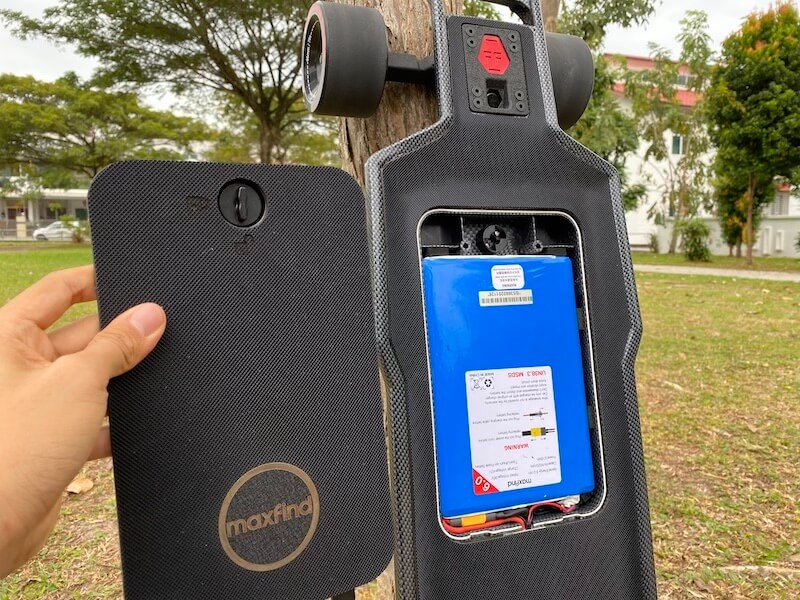
Maxfind FF Street Review

Today, we will be looking at the Maxfind FF – Street.

As a reviewer, I can’t help to consider Maxfind an interesting brand. Circa 2016, Maxfind was a brand that put out crappy budget boards and selling them on Amazon. During those days, their after-sale service or lack thereof has made them unpopular within the Eskate communities. Lately, however, they have almost completely abandoned the “entry-level market” but instead trying to establish themselves as a brand that offers polished products for a slightly higher price. (Oh, and I heard they are improving in after-sale service.)

Amongst Maxfind’s latest “more polished” product comes the star of today -Maxfind FF – Street, an $899 hub board with gorgeous looks, double kingpin trucks, a Hobbywing ESC, and a 6Ah hot-swappable battery.

Specs of Maxfind FF

Just like usual, let’s start with the build and the specs:

  • Deck Size: 38-inch x 9.4-inch (97cm x 24cm)
  • Top Speed: 25mph (40kmh)
  • Range: 17miles (28km)
  • Battery Pack:  216Wh (Samsung 30Q 6.0Ah in 10s2p)
  • Weight: 20lbs/ 9.1kg
  • Motor: 2 x 750W hub motors.
  • Wheels: 96mm 78A
  • Price: 899 USD
  • Features:
    • Remote with Telemetry,
    • Swappable Battery
    • IP 65 waterproof
    • Cloudwheel Donut Compatible

Deck – Composite deck with Carbon Fiber coating

Maxfind FF has a super flexible composite deck made of PolyPhenylene Sulfide and Fiberglass, coated with carbon fiber.

The deck is wide and has a good concave to it, so we can always know where our feet are during a ride. The deck has a double drop design, decreasing the riding height. It uses rubber grip tape, which we prefer as it doesn’t catch on fabrics and damage them. 

The deck has a built-in electronics compartment that can be accessed from the top. This allows for hot-swappable batteries and gives the board a very pleasant unibody look. There is a concern that a top access design would be bad for waterproofing. When it rains, the water could seep into the compartment, turning it into a water bucket. This is a problem that Evolve Carbon used to have. (But you shouldn’t ride an eskate in the rain anyways.)

For me, this board scores 10 out of 10 in the looks department.

Trucks, Wheels, Motors

For trucks, the Maxfind FF goes with Double Kingpin trucks and pairs them with soft 96mm wheels. We will talk about the ride feel of the trucks abit later.

The durometer is 78A, and at the back, two 750W hub motors power the board. These hub motors are compatible with the Cloudwheels Donut, and you can pay an extra $100 to bundle them with your Maxfind.

Top speed and Range

These 750W motors give the Maxfind FF a marketed top speed of 25mph (40kmh). In our top speed test, it fell 1 mph short of that max speed. That’s alright.

The swappable battery is a pack of 10s2p batteries with Samsung 30Q cells, that’s 216wh, and gives a marketed range of 17 miles (28km). In our range test, we were actually able to hit that marketed range of 17 miles. Can’t say I’m not a little bit surprised.

So, the Maxfind FF has a nice, polished design, and acceptable performance for its price. Next, let’s go over the riding experience.

Riding Experience of Maxfind FF

Speed Control

First, let’s talk about speed control. If you don’t already know, every board with a Hobbywing Electronic Speed Controller on it has a smooth and intuitive speed control. Smooth acceleration and braking in all 3 of the speed modes, good strength in both acceleration and braking. Nothing for us to nitpick here.

Next, we’ll talk about the maneuverability of the board, and how the double kingpin trucks perform.

Allow me to share a little bit of context here. When it comes to double kingpin trucks in eskate, there are some really good ones (Evolve, Wowgo, Backfire), but there are some that weren’t as good (Ownboard, Raldey).

For this Maxfind, unfortunately, it falls into the latter category, of the not-very-good double kingpin trucks. These trucks have poor rebound to center, and this makes carving less fun.

If we tighten the trucks all the way down, the board becomes hard to recenter after a turn; inversely, if we ride the trucks loose, the trucks will easily wobble at higher speeds. We can’t seem to find a good configuration with the trucks, perhaps changing the 98a bushing is the way to go.

Road Vibration

Another important part about the riding experience is how well the board handles road vibration from rough roads. In the case of the Maxfind’s FF, it handles these quite well, even though it is a hub driven board.

The double kingpin trucks, drop-through deck with good flexibility, and the rubber grip tape probably all helped. For those who want bigger wheels to further reduce the road vibration, the Maxfind FF is CloudWheel compatible. Just install the CloudWheels Donuts and that will relieve any of your issues with rough pavement. These take just 15minutes to install, and, well, an extra $100.

Now that we’ve shown everything about the Maxfind FF, let’s put it into perspective.

Summary of Maxfind FF

For $899, we can usually expect either amazing performance, or awesome design from a board. The Maxfind FF obviously falls into the latter category.

Unlike most Chinese eskates, this is a board that is not made just by combining off the shelf parts. For this Maxfind, 70% of your money goes into the design and build, and 30% into the motors, ESC, battery, etc. This means that, while costing $899, Maxfind FF has a performance that some $500 can match, but has the polish and design to match other pricier premium boards.

(An opposite example of this “design over performance” approach would be the Backfire G3 Plus, which prioritizes performance over a fancy design. It reuses all the parts from other Backfire boards, and then puts those savings into better performance.)

Another thing you should think about when buying a Maxfind is the company itself. You can consider Maxfind as a brand that has just come back from rehab. As mentioned, a few years ago it was known to be putting out cheap boards and having bad after-sales service. In recent years, however, we are hearing fewer complaints about the brand, but we aren’t hearing many singing their praises either. What we can verify here is that Maxfind’s new product lines are all well-built and polished.

Verdict: Is Maxfind FF worth it?

With that said, if you are tired of that generic look that most eskates share, and don’t mind the brand and the trucks; the Maxfind FF is the board for you.

If you are interested in buying a Maxfind, be sure to check out our affiliate discount link here and uses code: “ESKATEHQ” during checkout.
It will help you get a small monetary discount and helps us out too. On top of that, you’ll be tagged as an Electric Skateboard HQ customer and probably be treated better. Cheers!
Apsuboard V5 Review – 12s4p for $369?!?

Introduction

When it comes to entry-level boards, the current norm is a 10s2p priced above $400. The Apsuboard V5 however, is a 14s2p board that is priced below $400. So, you get 8 more battery cells than your typical budget board for less price. Pretty sweet deal, yeah?

Apsuboard is a decent budget brand that has been around for quite a while too. So, is there anything that’s holding this board back from being the best budget board out there right now? Turns out, there is.

Apsuboard V5 Review

Let’s run through the specs and parts really quick, as usual.

Skate parts – Deck, Trucks, Wheels

The Apsuboard V5 uses a stiff and flat deck, composed of 7 ply maple and 1 ply bamboo. This thing has almost zero flex to it and has no concave.

The trucks, wheels, and enclosures are all off-the-shelf generic parts that are very commonly seen.

Electronics

For the electronic parts, it uses a LingYi Electronic Speed Controller (ESC) and pairs it with one of the LingYi ESC remotes. For those who still don’t know what to expect on LingYi ESC, we will talk more about that later.

The star of the day – the battery pack – is using 20R cells. Again, this is a 14s2p pack and hence this gives a total pack size of 201.6wh.

The Apsuboard V5 uses dual hubs, rated at 300W each.

Performance

This board has a marketed range of 12.5miles (20km), which we hit; and a marketed top speed of 28mph(46kmh) but we only hit 26mph(42kmh). While not the marketed numbers, this still ranks pretty highly amongst the entry-level boards.

Now, let’s jump right into the performance of the 14s2p battery. According to Apsuboard, their rationale for going with a 14s instead of the more common 10s battery, is to give the board more torque. A higher serial in a battery pack means higher voltage, equaling higher torque.

It makes sense, but what doesn’t make a lot of sense is pairing it with a pair of modest 300W motors, considering the best budget boards are pairing motors up to 560W on these batteries. On the contrary, you could say that all the high serial battery does, in this case, is compensate for the weaker motors, so that the V5 can stay on par with boards from the flagship budget brands.

And that’s how we feel riding the V5. The torque and power didn’t blow our minds, sadly, but it was as strong as any entry or mid-level board that uses better-rated motors.

The second benefit of going with a 14s battery is that the voltage sag is significantly less. Unlike 10s batteries, a 14s on the V5 performs just as well when the charge is low as when it’s full. Very little drop in power and speed.

Now that we have talked about the performance, it’s time to talk about the riding experience.

Riding Experience

This is where the board performs as expected, given the parts it uses. Besides having the awesome push-to-turn-on feature, using this generation of LingYi ESC gives the board smooth acceleration and smooth yet strong braking. As always, the acceleration and braking each have 4 modes that can be set independently of each other.

The generic trucks are average, they don’t feel very responsive and have poor rebound to center, so carving on this board wasn’t the most fun.

Regular 90mm wheels, dual hub motors, and a stiff deck means there is nothing to stop the board from vibrating like crazy when riding over rough roads. You already know that this is a common problem for hub motors, a problem that the Cloudwheels Donut is designed to solve. Lacking any concave on the board also means that it is difficult to know where our feet are at without looking, and that adds another layer of discomfort.

Verdict of Apsuboard V5

So, let’s tally up the score. The Apsuboard V5 went with a generic deck, trucks and wheels, which gives a riding experience that is at best considered average. The speed control is good, as expected from a current-gen LingYi ESC. The range and torque are above average amongst entry-level boards… and the most awesome thing about the Apsuboard V5 is the price – $369.

While the Apsuboard V5 likely isn’t the best budget board for everyone (most of us value a polished ride feel above all else); for someone who absolutely can’t stand voltage sags and perhaps is on the heavier side, I frankly don’t know of any other option for $369.

If you are interested in buying an Apsuboard, be sure to check out our affiliate discount link here and use code: “CN15″ during checkout to get $15 off!
It will help you get a small monetary discount and helps us out too. On top of that, you’ll be tagged as an Electric Skateboard HQ customer and probably be treated better. Cheers!