Maxfind Max 4 Pro Review – Can it compete?

Maxfind, a Chinese brand that has been around since the beginning of time. A brand that delivers budget boards in nice packages for casual eskaters, but has always been ignored by eskate enthusiasts, as their price vs value proposition was not as high as the other Chinese brands. If you have read my previous takes on Chinese brand, you might have sensed that I hated the brand, that’s because their product and marketing strategies made me feel that they are just preying on the less informed buyers.

Well, that idea of mine has been shaken up with the new lineups that Maxfind introduced awhile ago, and today, we are going to talk about the Maxfind Max 4 Pro.

Maxfind Max 4 Pro

The specs are the least interesting part of the Max 4 Pro, so we’ll just quickly run through them.

  • Top Speed: 26mph/ 42kmh
  • Range: 15mil/ 25km (4.4AH Samsung 22p, 10s2p)
  • Weight: 16lbs/ 7.5kg
  • Charge Time: 120min
  • Price: 619USD with shipping included. (Ships from USA or China)
  • Features: IP65 Waterproof, hot-swappable battery, remote with telemetry, swappable PU-sleeves

Wait a second. You might be saying, “all the numbers sound like a typical entry-level board, EXCEPT that last one. The price!” Yes, the Max 4 Pro is retailing $200 pricier than your typical entry-level budget board, so what is Maxfind doing to justify the price?

Max 4 Pro is not actually, not your typical eskate, it’s more like a Drive Kit

First, the Maxfind Max 4 Pro is actually not a regular eskate, instead, it is a removable drive kit, marketed with a complementary deck. They are selling the DIY drive kit for $569. Drive kits that are designed to be slapped on any deck and instantly turn them into an Eskate have always been pricier. Mellow, Unlimited, Revel. All pricey.

The battery is hot-swappable

The Max 4 Pro comes with all the benefits of being a drive kit. It has an easy hot-swappable battery, you just need to undo a thumbscrew, and voila, the battery can just slide out. Maxfind also included an extra charging cable to charge the battery separately, which is a nice touch too!

It’s waterproof

The second justification of the price is that the Max 4 Pro is waterproofed. (IP X7 on the ESC, and IP65 on both the battery and hub motors). I don’t know how much faith you can put into any eskate company’s IP rating claims, but at least you don’t have to worry if you accidentally spill coffee on it.

It’s pretty well polished

Finally, Maxfind did show their manufacturing prowess and gave their boards a good polish. The Max 4 Pro is beautifully packaged, and it’s 8 ply maple deck with carbon fiber coating is just beautiful. It uses a metal enclosure. The trucks, bushings, and bearings are not branded but look high quality nonetheless.

Premium = Customer service?

In Maxfind’s case, I’m not sure about that. It’s not to say that the company has any bad reputation, it just that I have never heard anyone singing their praises, and for a brand that’s been out there for so long, there should really be people singing their praises.

Field test: (Did all this translate into good ride feel?)

Deck:

I know, it looks pretty flexible but it’s maples.

The 8-ply maple deck is flat, without concave, but still does a good job keeping my feet comfortable. It has only a mild flex in it, which helps maintain stability, but unfortunately does not improve vibration.

Speed control:

Acceleration and braking are intuitive and smooth, as expected from a Hobbywing ESC. Maxfind did make some adjustments, however, especially on the braking for the Max 4 Pro. Unlike generic Hobbywing ESCs, which traditionally have dangerously weak brakes, the strength and smoothness on the Max 4 are exactly how we like it.

Carving:

Carving on these pairs of Caliber II clones is a pretty great experience, and fairly stable, even when riding at top speed.

Range test:

The removable battery pack is made of 4.4AH Samsung 22P cells in 10s2p configuration. It has a marketed range of 15miles (24km) but – our range test got us to only 11.5 miles (18.5km) riding in top mood throughout. I know, the result surprised no one as these are pretty standard numbers for most 4AH entry-level board.

Top-speed:

We hit the 26mph (40kmh) top-speed, which surprised no one. After all, the Max 4 Pro has a pair of 750W hub motors (with removable sleeves) and that’s stronger than most entry-level and mid-range hubs. The stronger hubs did translate to our ride when it comes to conquering rougher terrain and hills.

Misc:

By the way, I like how most boards have bigger wheels now. The board uses large 96mm wheels, which are safer for beginners but can also help ease the vibration on rough roads. We’ve said that Max 4 Pro wasn’t GREAT when it comes to handling vibration, so imagine how much worse it would be if they chose to use the 80mms on it.

Did he die?

Verdict:

Max 4 Pro is still not about price vs value proposition. Think of it this way –

For $619, you get a package that:

  • Shares the same spec with regular $400 entry-level eskate, but
  • Waterproof,
  • Hot-swappable battery,
  • Easy deck swap (It’s a drive kit!)
  • Slightly better ride feel (and torque)
  • Better polish

I’d say it’s worthy of the price.

All in all, the Max 4 Pro is a nice board that we enjoyed, but I suspect that many buyers would opt for the $569 Drive Kit Pro, as it’s actually the real MVP here.

If you are interested in buying a Maxfind, be sure to check out our affiliate discount link here and uses code: “ESKATEHQ” during check out.
It will help you get a small monetary discount and helps us out too. On top of that, you’ll be tagged as an Electric Skateboard HQ customer and probably be treated better. Cheers!

Oh, one Quick note on Max 4 normie (AKA not Pro)

The Maxfind 4 standard (without the ‘Pro’) is $100 cheaper, but it has weaker hubs, smaller 90mm wheels, and a generic Hobbywing ESC without the OLED Remote. Just think of it as your typical Hobbywing budget board with a $100 price premium for also being a drive kit and having good polish.


Meepo V3 Review – Still the Budget Champ in 2020?

Foreword/Introduction

It seems like Meepo releases a new budget board every half year. We have the Original Meepoboard, Meepo 1.5, Meepo V2 &V2P and finally, in 2019, Meepo V3. Seeing that Meepo refreshes their product lines very frequently, we were pretty surprised that the V3 is still here to stay as of March 2020! Meepo, however, makes the Meepo V3 an even more appetizing deal now that there is a sea-shipping option that slashes the price down to $379 (as long as you are willing to wait a month for it to arrive.)

Meepo V3

  • Top Speed: 28mph/ 45kmh
  • Range: 11mil/ 18km
  • Weight: 16lbs/ 7.2kg
  • Charge Time: 3hrs
  • Price: 429USD with shipping included.
  • Features: 2 hub motors, regenerative braking, handles up to 30% slope, MR remote (with telemetry), swappable PU.

Unboxing

This time around, we are happy to say that Meepo has continued to improve in terms of packaging and design compared to their previous packaging styles. The Meepo V3 was nicely packaged in a smooth black ‘shoe-box’ with professional graphic design details. It’s good to see that they’re constantly improving, especially in the little things that we pay attention to.

As for what’s inside the box, the Meepo V3 comes with a handheld remote control with a screen (MR remote), 2 different sets of bushings – softer 83A (white) and harder 96A (blue) – that you can swap easily for your pleasure which is a great move (the one installed are 90A in yellow), T-tools, a board charger, and a bunch of cool stickers for the deck. 

Riding Experience

Acceleration and Braking

In the realm of budget electric skateboards, LingYi ESC has always been lagging behind Hobbywing ESC when it comes to perfect control smoothness. Hence, we were very sceptical when Meepo announced that they would be sticking to LingYi ESC on the Meepo V3, especially when some of their lineups have moved on to Hobbywing ESC and they were well received too. 

Although they promised that this latest iteration of LingYi ESC would be as smooth as Hobbywing’s, we weren’t that convinced initially. Some of the other boards we tested that still uses the LingYi ESC were pretty subpar so our expectations were low.

Surprise, surprise. Turns out, this latest iteration of LingYi ESC that the Meepo V3 uses is as good as promised and it’s the most pleasant surprise we’ve received from the V3 yet.

The acceleration is almost as smooth as the Hobbywing ESC in the first 3 speed modes, while the pro mode offers a much punchier acceleration, intended for those with more ‘extreme’ tastes. Not something that I use much but still appreciated. Side by side comparison with Hobbywing ESC will have the LingYi ESC felt a little bit ‘less refine’ than the Hobbwing ESC.

Update: Kieran (Meepo’s creator) later point out that the lack of ‘refinement in smoothness’ is mainly due to how LingYi ESC performs when the board re-accelerate from cruising – it usually accelerated more abruptly. A yet newer LingYi iteration released in July 2019 addressed the issue via a firmware update name “Flux”. So, I expect the Meepo V3 after July 2019 to have acceleration as refined as those of Hobbywing ESC.

The braking, which traditionally was the Achilles heel of LingYi ESC, is now more than perfect too. It’s gradual and strong, stronger than any Hobbywing variation but still perfectly smooth and under control which is great for riders. 

The Meepo V3 is designed to be the first one that takes off from the line and in pro mode, the acceleration is indeed very punchy and thrilling. The board boasts a 0 to 30km in 4.5 seconds, which almost halves the time of what it took for the V2. We didn’t actually objectively test this out, but the acceleration indeed felt very powerful.

To test out the difference between the latest iteration of Hobbywing ESC vs this latest iteration of LingYi ESC, we tested V3 (LingYi ESC) side by side with the NLS Pro in 90mm wheels (Hobbywing ESC) and the result is pretty surprising.

We expect V3 to outperform NLS Pro in a drag race, as LingYi ESC felt punchier, however, that didn’t happen. Though V3 felt punchier, it actually only accelerated just as fast as an NLS Pro in 90mm hub. Our conclusion is, on acceleration, the slight sacrifice of smoothness of V3 doesn’t translate to better acceleration. Sad.

Honestly, part of me actually prefers this LingYi ESC over Hobbywing ESC as I like strong brakes and LingYi ESC still has the smart turn-on features that Hobbywing ESC doesn’t. And the difference between smoothness is almost negligible now. I think many would share the same preference so finally and for once, Hobbywing ESC doesn’t reign supreme anymore.

Stability and Maneuverability

All in all, the shredder trucks and double tall barrel bushing that Meepo always uses are pretty nice. You can change the bushings according to your preference and your weight to have a setup that suits you the best, I suggest most people try out the 96A blue as for a 150lbs (68kg) me the yellow felt too soft.

Carving on the Meepo V3 is fun thanks to the flexible deck and it’s pretty stable for me. For instance, I can keep near the top speed quite comfortably once I switch to a harder bushing. We are also able to hit the top speed of 28mph(45kmh). (our sports tracker record 28.3mph/ 45.7kmh as the top speed!].

Vibration

Unfortunately, vibration is where the V3 is weak.

The V3’s priority is torque and power, and this leads to choosing the biggest hub. But a bigger hub motor also means there’s only a very thin layer of urethane between the motor and the ground so the vibration dampening ability is pretty poor. 

Despite using a fairly flexible deck, the Meepo V3 is not the most comfortable board when riding in less than perfect roads, which is quite unfortunate given that its siblings from Classic to NLS Pro all did quite well in this aspect.

Thankfully, there’s the option of buying and switching to 100mm hubs sleeve and wheels which would really improve this feature but in terms of the on-stock version 90mm, the Meepo V3 gets a B-/C+ from me when it comes to vibration handling.

Range

The Meepo V3 uses a 10S2P Battery Pack with a 20R cell which gets me 18.9km, about the range the base model Meepos aim to achieve. It’s not too bad as it’s sufficient for most people and more than most belt-driven electric skateboards as hub motors are much more energy efficient.

A closer look at the parts

Deck

The Meepo V3 uses 7 layers of true Canadian maple which are pretty flexible, but not as flexible as the deck on the NLS. Although with a deck this flexible, you can actually smash the enclosure to the ground if you jump on the deck.

With that though, it’s still a Vanguard clone as it has the same design as the previous gen. There’s a very subtle concave to help your feet feel comfortable on it, and the handle cut out might turn some people off but those who have used it before would know how practical it is.

Component Enclosures and ESC

As expected, this is the same plastic enclosure found on the other Meepos. They’re really strong and lighter than aluminium, but only time will tell if they’ll crack on the screw holes but so far I haven’t heard any incidents of that happening. Fingers crossed! The battery indicator is outside too, which is a good touch because I’d love to know how much the battery has charged up when charging.

Wheels

The Meepo V3 uses 90mm wheels with 78A durometer wheels. The PU sleeve on the hub motor wheels is swappable, and can be swapped to 100mm sets which as mentioned before, should make navigating on poor road more comfortable.

look how thin the PU sleeves are.

The bearings that the Meepo board uses, although not branded, are surprisingly good. They spin forever when put on freerolls, so that’s a win for us.

Trucks

I’m echoing my review of the Meepo Mini 2 ER’s trucks for this one too, but adding on that the stock bushing for the Meepo V3 (yellow 90A) might be too soft for most people. My suggestion would be to switch over to 96A if you weigh anywhere more than 150lbs(70kg).

As a personal preference though, I’d rather Meepo ship the 90A, 96A, and 100A than the 83A, 90A, and 96A that they’re currently shipping now. 

Remote

The V3 uses the MR remote, a remote with a screen. It’s the new face of LingYi ESC now but Meepo’s version is using soft-touch plastic as a finish so it feels nice to hold and it’s quite comfortable (read: ergonomic) to grip. 

The remote allows the separate adjustments of acceleration and braking modes without disconnection. Although the ‘reverse’ label is mislabeled which can be confusing to some, it’s actually the speed mode. You move into reverse instead by double-tapping the power button.

Verdict

From the original to V1.5 to V2, Meepo’s ‘version’ lineups have always been the de facto face of budget electric skateboards. Judging from what we’ve reviewed and experienced though, we can see that the V3 is likely to carry that torch from the V2 and continue to be the most popular budget board in the community.

With the improvement of the current LingYi ESC, together, it elevates the V3 to another level. The first 3 speed modes are almost perfectly smooth, along with its aggressive, punchy acceleration for thrillseekers. 

As per Meepo’s typical fashion of pushing the envelope just a little bit further, the V3 tried to maximize the power and torque by using a stronger and bigger hub. Although it was achieved with impressive acceleration and hill climb ability, unfortunately, it resulted in its bigger weakness – a stiff hub with a thin urethane sleeve that led to a really rough ride on poor roads. 

Thankfully, there’s always the option to switch to 100mm wheels to save the day. You can see the V3 as a watered-down NLS Pro as it falls a bit short of the refinement that we experience from the NLS Pro in both ride feel and specs, but a watered-down NLS Pro is still a very good deal for $429 if you ask me. And for those who have the patience for sea-shipping, the V3 at $379 is without any doubt, the best deal for a budget board that anyone can dream of.

Overall, the Meepo V3 has every reason to retain the throne as one of the most popular budget electric skateboards as its polish, feel for ride, and sheer performance are still second to none in the realm of $400 entry-level boards.

Check out Meepo V3 by click here.

Apsuboard V3 Review – The most affordable Electric Skateboard.

Back in 2018, we saw the first wave of budget electric skateboards. Retailing below $400, the typical budget electric skateboard back then was raw but serviceable.

In the past 3 years however, we have seen that their quality has improved, and the price slowly hiked. Today, most budget boards retail at around $450. There are a few exceptions, and the star of today’s review Apsuboard V3 is one of them.

The Apsuboard V3 takes the price war to an extreme, it retails at $319 with shipping included, undercutting all of its competitors. Although they aren’t among the biggest Chinese brands, Apsuboard has been around for a couple of years now and has always been a brand that focuses on value per dollar. They also do have some good products, for instance, we consider the $465 Apsuboard’s X1 to be the best budget belt drive on the market right now.

Apsuboard V3 Review

So, back to the V3. What corner did they cut to get to this price?
The answer is – a little bit of everything.

Speed Control

The Apsuboard V3 uses LingYi ESC as its speed controller. Those who had ridden a LingYi ESC board will find the control similar. It has 4 acceleration modes and 4 brakes mode that can be chosen independently from each other. However, Apsuboard perhaps is using an earlier generation of LingYi ESC as the controls do feel a little more raw than the current-gen ESCs, nothing too jarring but noticeably less refined.

Acceleration in the 1st and 2nd modes are beginner-friendly;
3rd mode is for the veteran and 4th mode for the thrill-seekers. With the adjustable brakes, beginners can start with soft brakes and gradually move up the strength. At maximum strength, brakes with LingYi ESC can be pretty tight. Last but not least, LingYi ESC comes with everyone’s favorite feature ‘kick to turn’ on. A very handy feature indeed.

Update:
I’ve suggested Apsuboard to make Hobbywing ESC available as an option to the base version of V3 (LingYi ESC), and they took that suggestion. Starting from now, for $20 extra and a total price of $339, the V3 will come with standard Hobbywing ESC. For those who don’t know, Hobbywing ESC would be silky smooth in both acceleration and braking and would be my recommendation for most beginners. The trade-off would be softer brakes and going without the kick-to-turn on feature.

With that said, I believe the Hobbywing version would be a better version.

Motors & Wheels & Decks

Enough about the ESC, next we move on to the hubs. The 250W 90mm hub motors are pretty weak when it comes to torque and acceleration and they can be noisy. Even a medium slope will be a challenge to overcome.

The front wheels aren’t the softest, and that, plus the hub motors and the stiff deck, makes the V3 an uncomfortable ride on rough roads. However, the deck does have a subtle concave to it, which is a plus point.

Trucks

Other than that, the other parts on the V3 are pretty generic. A pair of generic trucks, generic enclosures, and one of the nicer generic remotes that features telemetry readings.

Summary:

Riding the Apsuboard V3, I feel like I’m back in 2018, when every budget board was raw and purely functional. As mentioned, the controls on the V3 are only satisfactory, turning and carving with the generic trucks felt pretty average as well. This is somewhat subpar compared to major Chinese brands, which have all pretty much transitioned into using proprietary trucks for their budget line-up, and genuine brands for their more premium feel. What’s on par for the V3 is the battery. 10s2p 20R cells are still the standard in budget boards, and Apsuboard put them into the V3 too. They give it a 9 mile or 15km range. Since we’re talking about numbers, the top speed we got is a modest but adequate 23mph or 37kmh.

Verdict:

With all of that said, what is my opinion of the Apsuboard V3?

Remember in 2017, the first Meepo came out for $380 after shipping and everyone went crazy for it? The Apsuboard V3 is almost the exact same board, selling at an even lower price, but featuring a bit more polish! The only thing that changed compared to 2017 is that we have options now in the sub-$500 range, so those who weren’t about to compromise don’t need to.

Still, the beauty of a truly affordable board transcends time. For those of you who want the biggest value per price, or doesn’t mind an unrefined riding experience, you would be happy with the Apsuboard V3. It is certainly cheaper than all of the parts combined if bought individually, and the parts certainly come together to be a decent board. If I was building a board and concerned only with the price, I would probably build it the same way.

So, if $300 is your budget, or you just want a simple electric skateboard – the Apsuboard V3 is a great option. Think about it, a single VESC would cost you almost as much!

Click to check out Apsuboard V3.

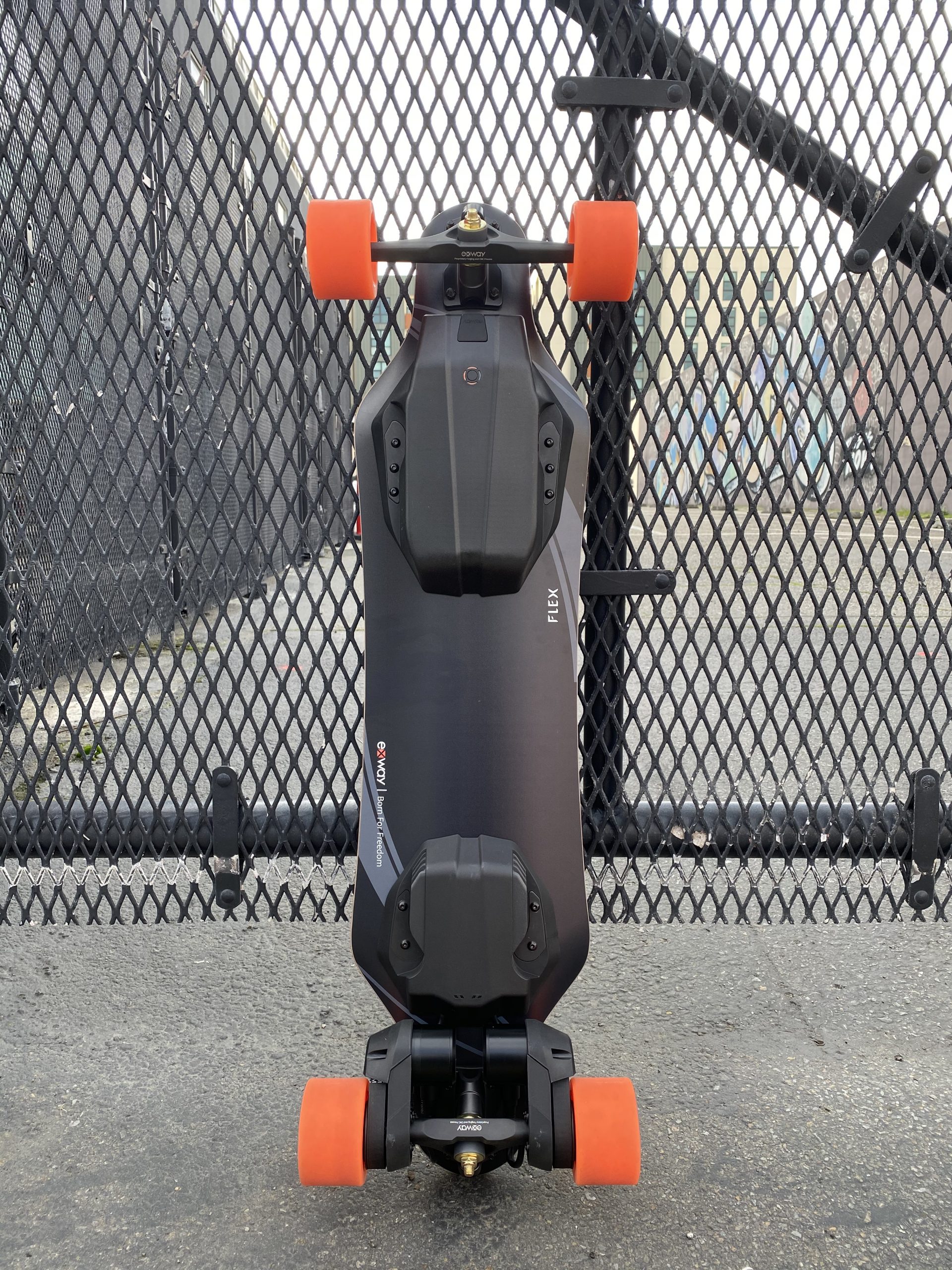
Exway Flex Review: The People’s Board

Follow the discussion on Reddit here

Forward

As a reviewer, I ride and test a lot of boards. From the cheapest of boards built to make a quick buck to the most expensive of premium boards with enough power to knock your socks off. I’ve also built and fixed many-a-board: ones that have enough torque to spin the wheels throttling from a standstill no sweat, ones that can theoretically reach 70MPH. I’m no stranger to eskates of all different kinds, and I’ve seen this market grow and evolve in countless surprising ways.

In my time, I’ve found that there are highlights and lowlights of each and every board. As a reviewer, my job is to explain all of these points to you so you may make an educated purchasing decision. Every single board has a price to value ratio, and I make recommendations based on that ratio.

The ideal ratio would hew closely to 1:1: Good value at good price. Many boards have gotten close, and a couple have hit the mark, with most falling short, with OK value at OK price or bad value at bad price. However, one thing I have never said is “this is the board you should buy” for any category.

Until now.

If you’re looking for a board under $1000 USD, at $650 to $700 the Exway Flex is the board you should buy without question. Let me tell you why.

Flexway

Yes, we all know this is a missed opportunity. Let’s digress from that and look at the product itself.

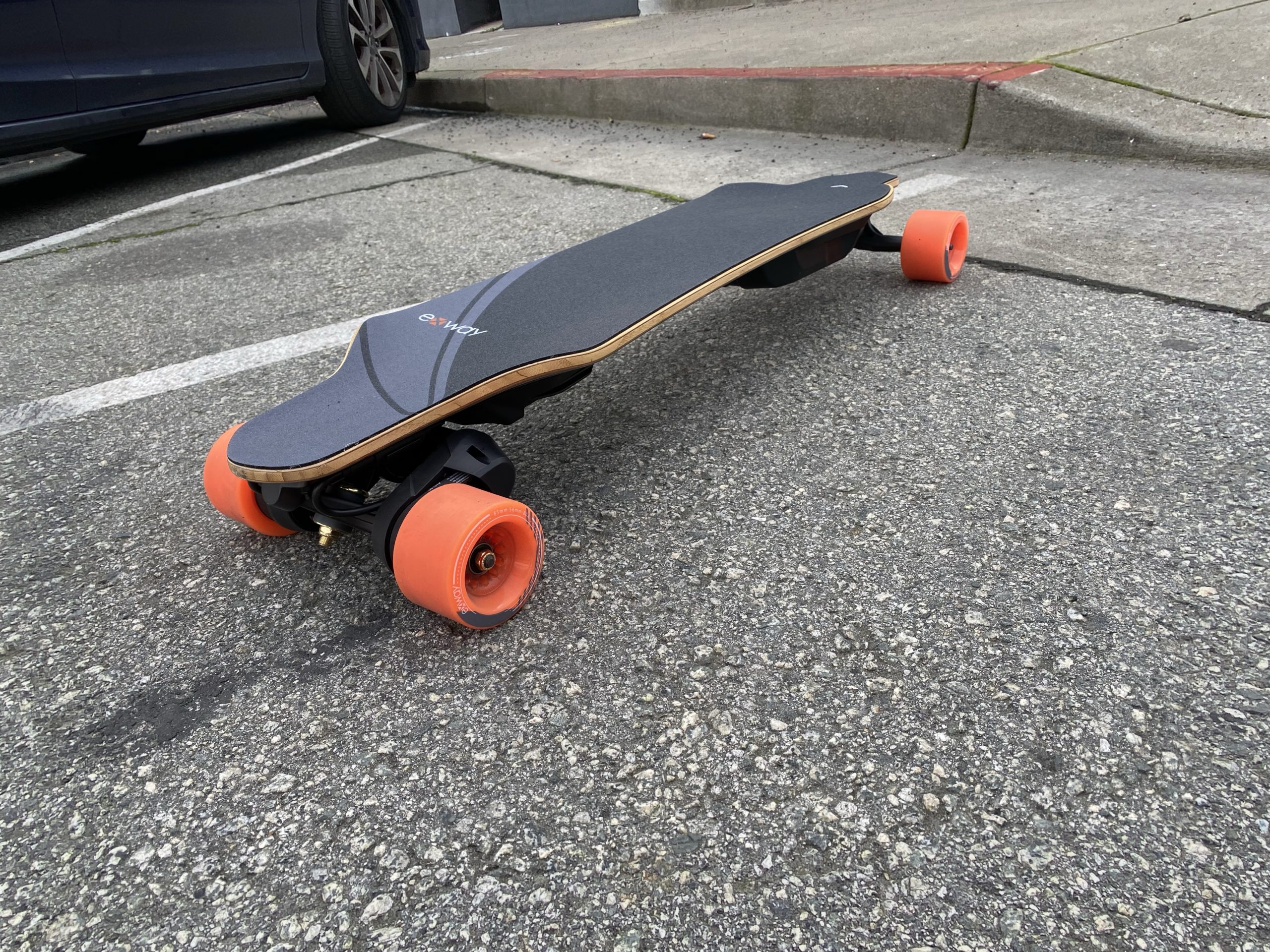
The Flex is a budget board. Which normally would mean low grade components and subpar build quality. This is absolutely not the case here. The Flex is actually a premium board disguised as a budget board.

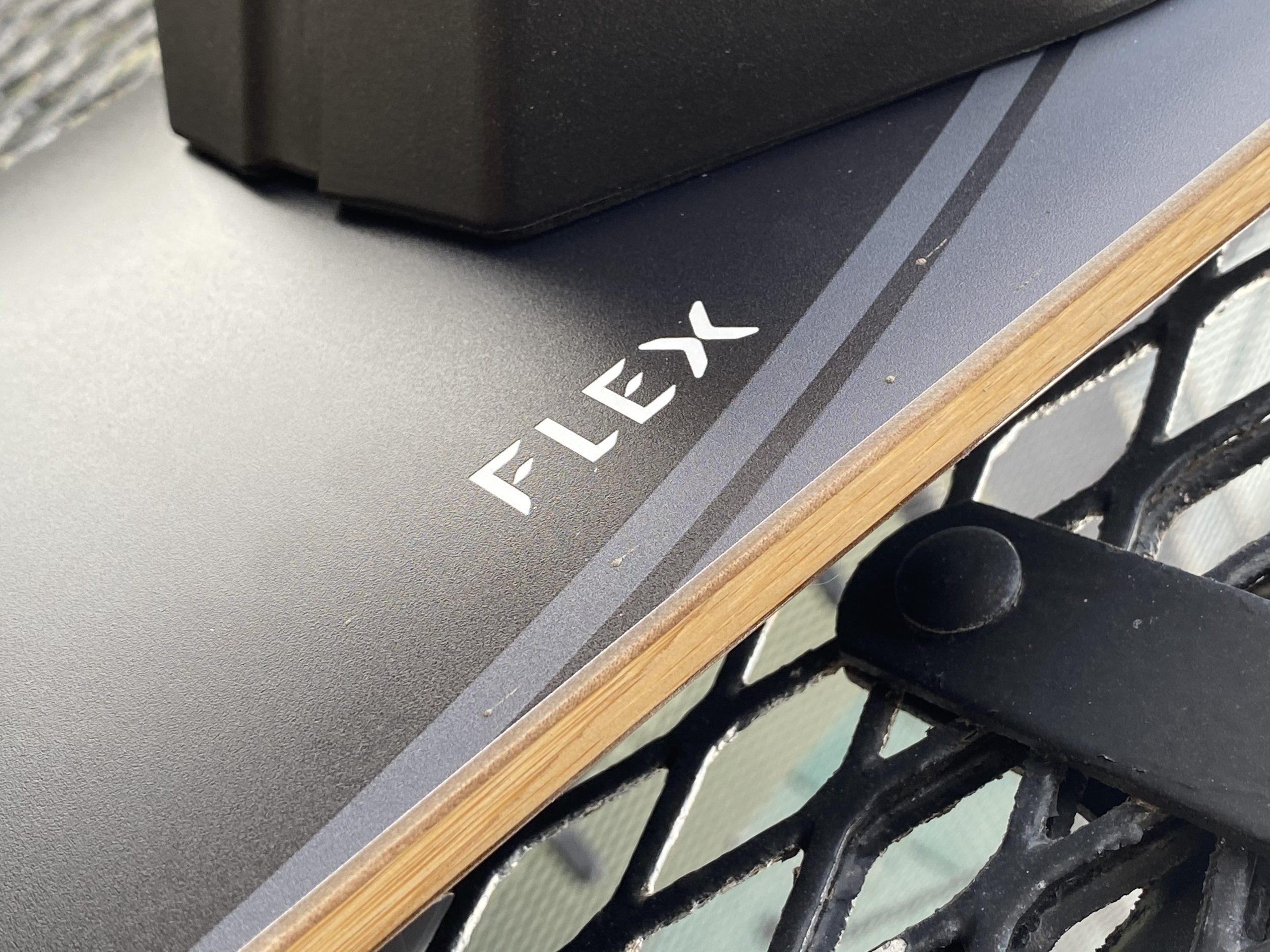
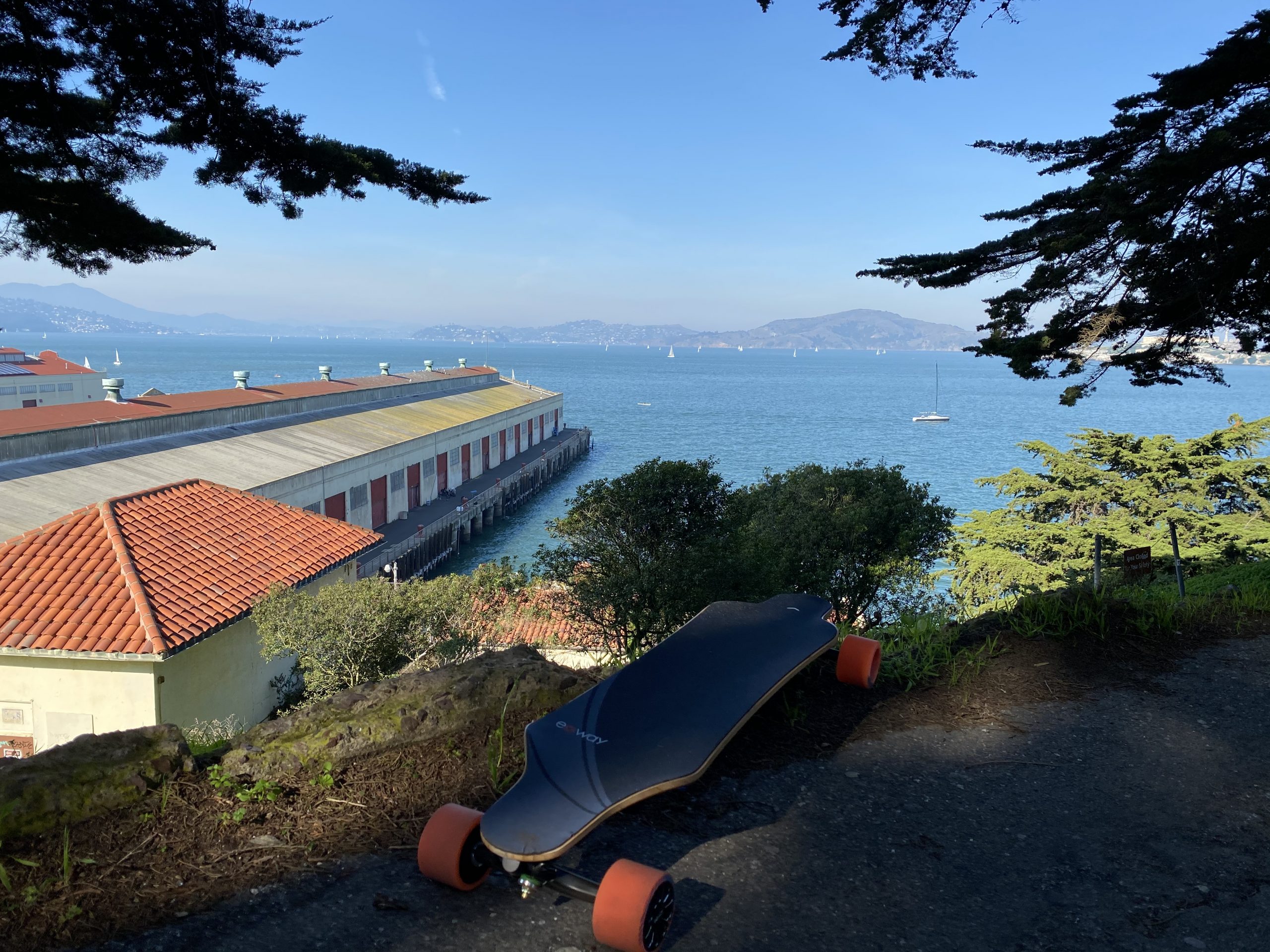
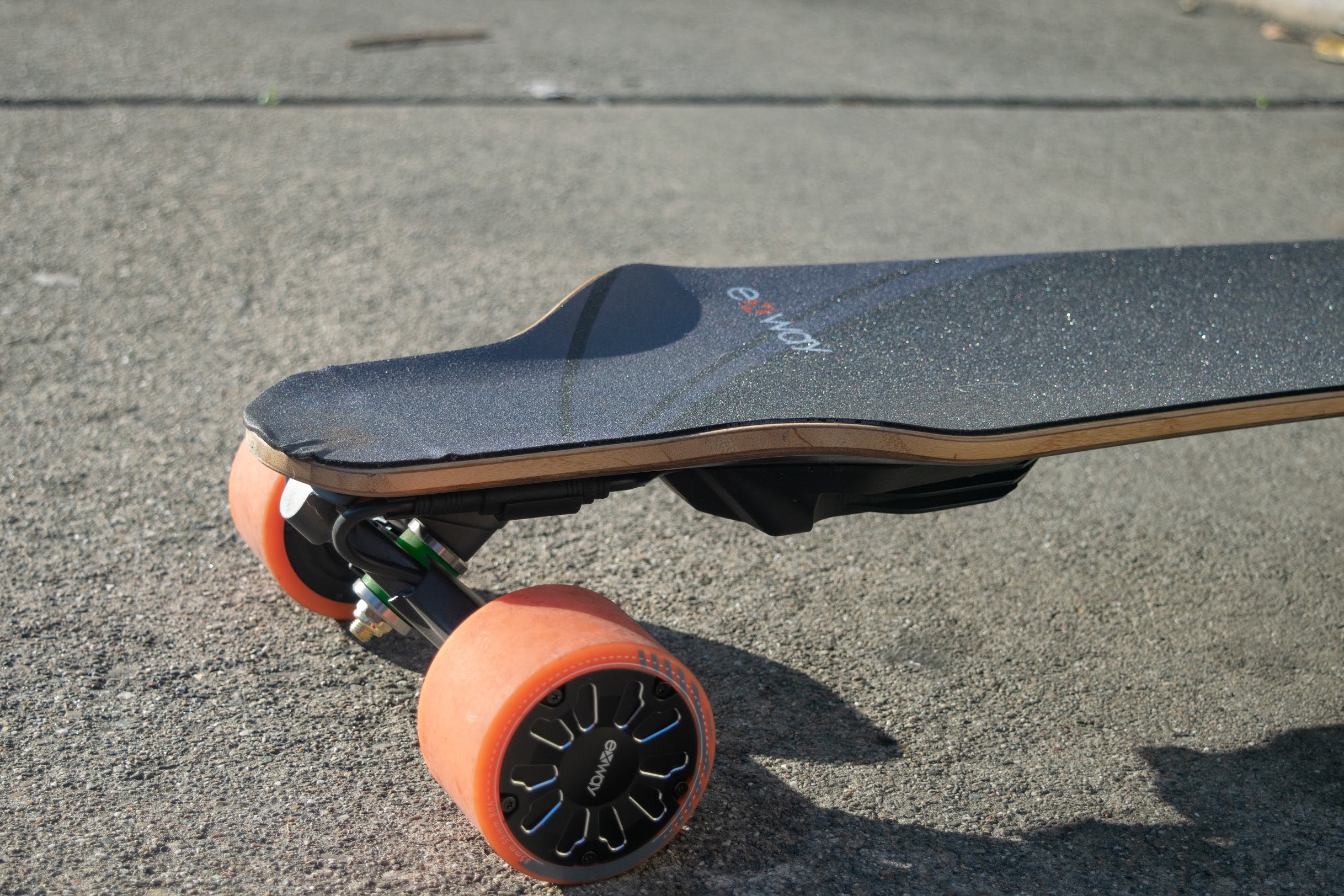
Let’s start with the deck. True to the Flex’s name, the deck is fairly flexy, yet retains good rebound and not too much torsion. There are extreme wheel flairs which mean you can install fairly large wheels, probably over 100mm, however the flairs may be polarizing for some if you don’t like that kind of thing. I personally liked bracing against them on acceleration and so did most people who tried it, but there were a couple people who couldn’t get super comfortable with the flairs.

PC: Scott Dred

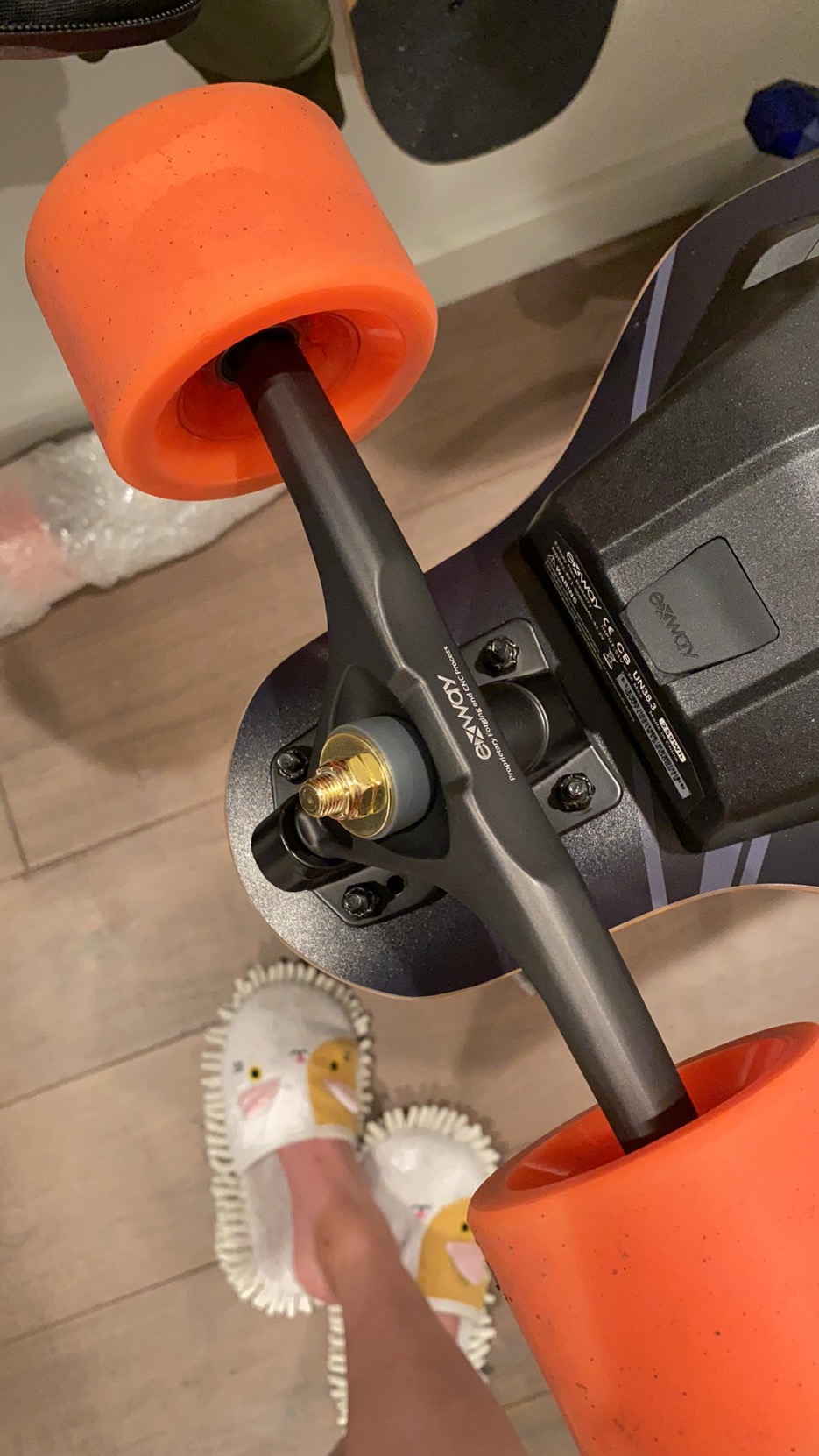
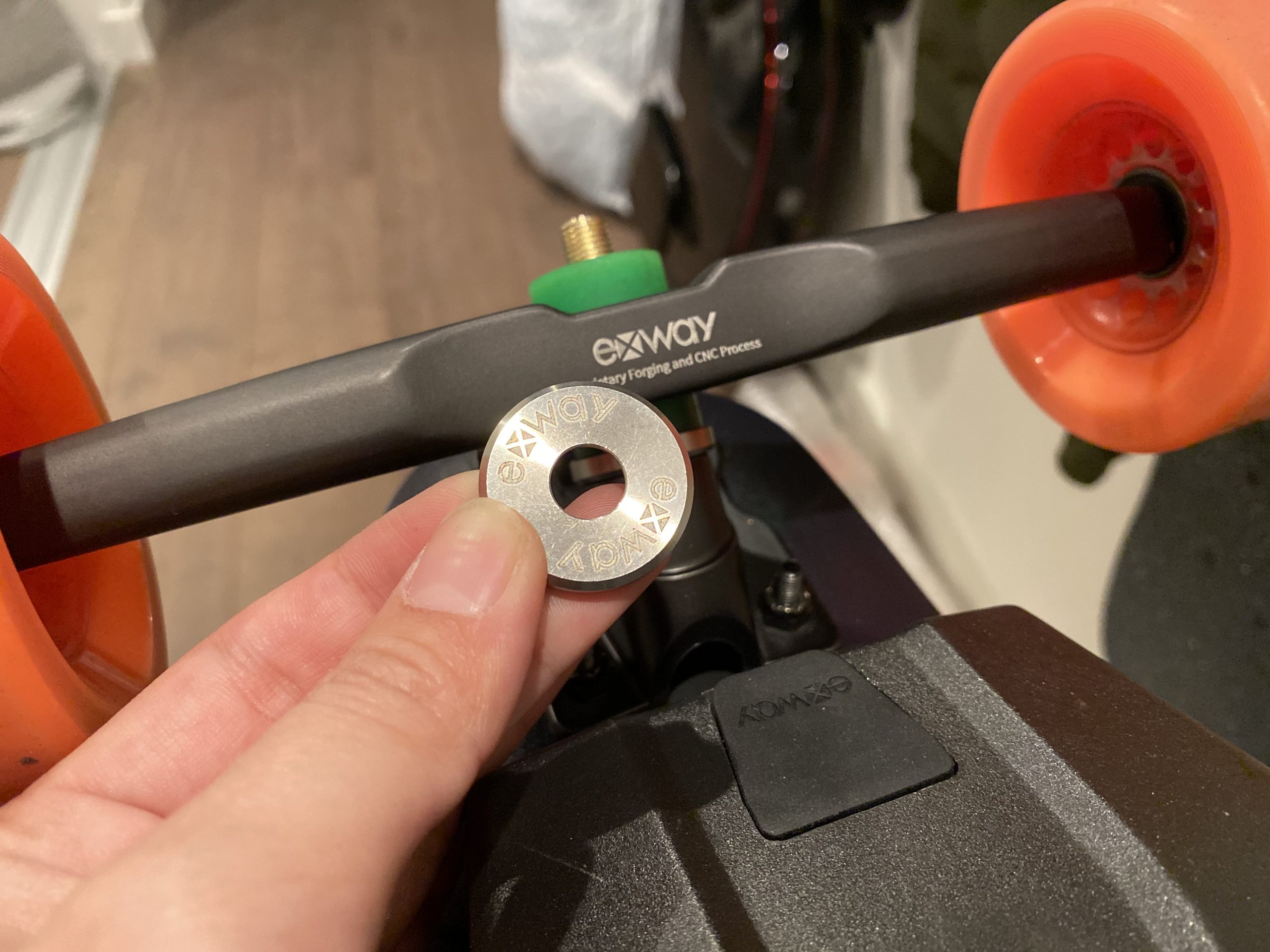
Key to the drivetrain is Exway’s new truck, called Tryst. Previously, Exway had used customized versions of Seismic’s Aeon truck, which were and still are one of my favorite trucks. Now, Exway has designed their own truck, no doubt for cost saving and ease of manufacturing. However, that’s not to say these forged and CNC’d trucks aren’t a force to be reckoned with. Beyond retaining a responsive, accurate ridefeel, they support standard bushings, which opens up a whole new world of tuneability beyond Seismic’s offerings. That being said, the bushings that the Flex came with have great rebound, and paired with Exway’s precision cup washers (sold separately, but seriously, you gotta try precision washers, from Exway, Array, or otherwise), offer a precise, stable carve that I really enjoyed.

Paired with Exway’s second generation urethane and cushy griptape, the Flex honestly just rides awesomely. I have no qualms recommending this board just based on ridefeel alone. But that’s not all.

Best Bang For Buck Electronics

Just because the Flex is a “budget board” by Exway’s own admission, doesn’t mean they’ve cut corners on the electronics in the board. I think it’s actually quite the opposite. It sort of feels like Exway is willing to let this board have razer thin margins while maintaining quality of life features typically found only in boards above the Flex’s price bracket, just to get people on this board and talking about the Exway brand. Not a bad strategy as far as I’m concerned, and I believe it’ll work out well for them.

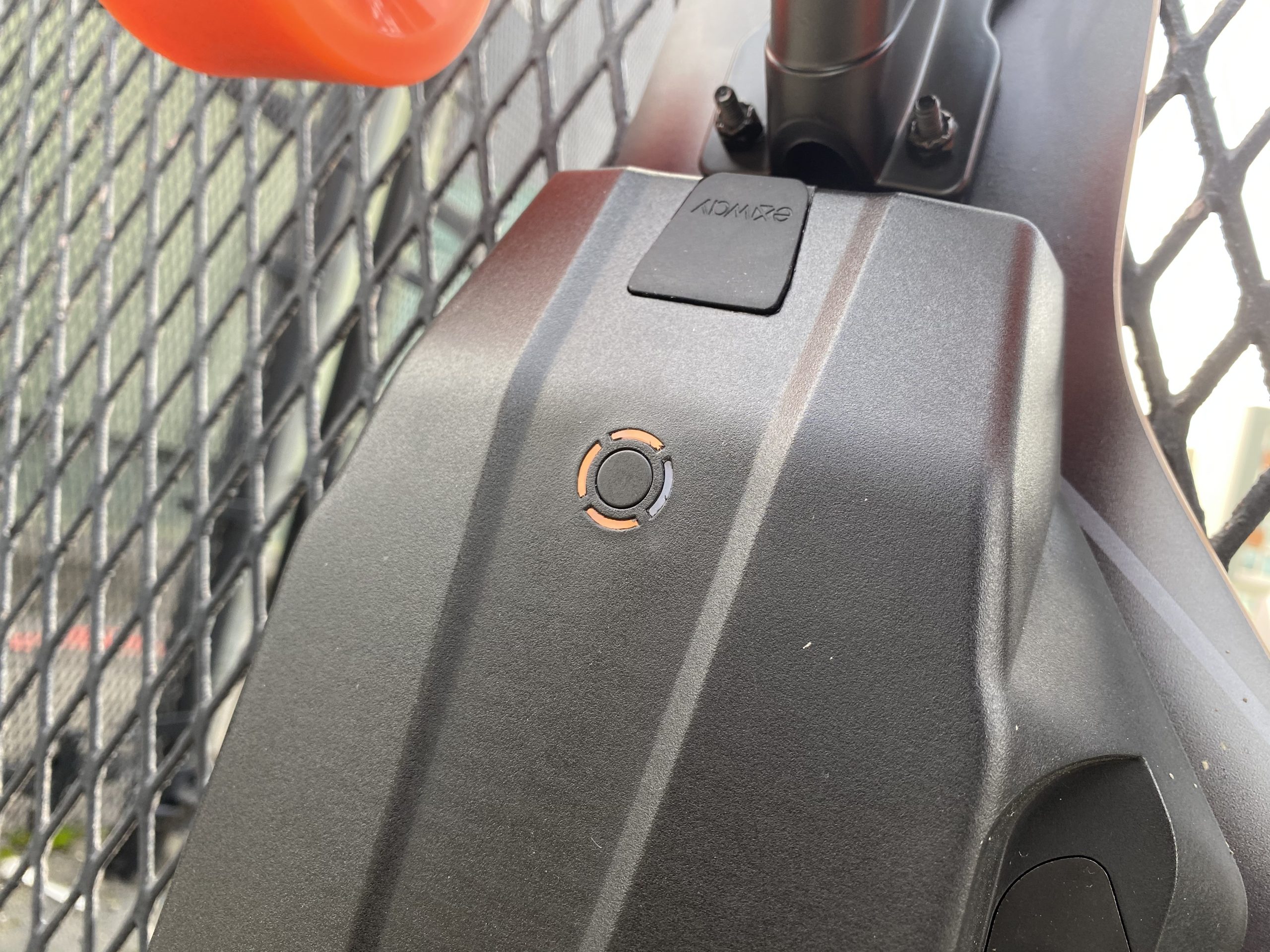
To the surprise of nobody, the Flex uses the same ESC as its previous boards, thereby retaining all the previous smarts. Remote on/off makes sure you never press a power button on your board again. Telemetry right on the remote paired with the bright OLED display offers up a clear view of essential statistics like remaining battery and current speed. App integration and Exway’s constant and responsive firmware updates ensure your board is infinitely adjustable and always up to date. There was an issue with brakes being too soft when the Flex’s battery dropped below 20% as well as slightly too aggressive at lower speeds, but Exway quickly released an update to fix the issue. A testament to their responsiveness. If I really had to nitpick, I could only really complain about the lack of USB-C charging port on the remote and maybe an odometer? Other than that I’m pretty content.

As far as battery technology, to my knowledge, this is the first board to ship with Sony’s VTC6 cells. They’re high discharge cells, which means you can pull a lot of current from the pack (more torque) compared to a similarly configured pack built from a cell like the Samsung 30Q, which most more powerful production boards tend to use. Sony VTC6s also have similar capacity per cell compared to the 30Q, so the overall capacity of the pack is similar to one made from 30Qs. During range tests, I consistently got 13ish miles of hard riding (full throttle 98% of the time, lots of hills, hard start/stops). I weigh around 130lb, add about 7-8lb of gear to that and you’ll get my riding weight. I think that’s really good for a 12S2P in San Francisco.

Sample Ride: burned 58% riding 7.3 miles on hilly terrain full throttle almost all the time

Exway’s calls their 12S2P battery pack a “smart battery”. This apparently means the pack can set optimum settings for itself, such as discharging to half charge automatically when just sitting not being used. I haven’t had a chance to test this but I mostly trust Exway with their claims. The pack also has a capacity indicator now so you can sort of gauge how much battery you’ve got left. It’s also swappable, though you do need to unscrew 6 screws, so really only “swappable” in the sense that you can swap, but it’s a bit of a hassle.

One thing to note about the battery pack is that it doesn’t retain the magnetic charging port that can be found on the X1 and X1 Pro. While I loved those convenient charging ports, Exway says this is to improve reliability as those magnetic charging ports had a higher failure rate than they would like. That being said, this means you could buy an off the shelf fast charger, though I believe there is a charging current limit as my 6A charger kept getting rejected by the BMS.

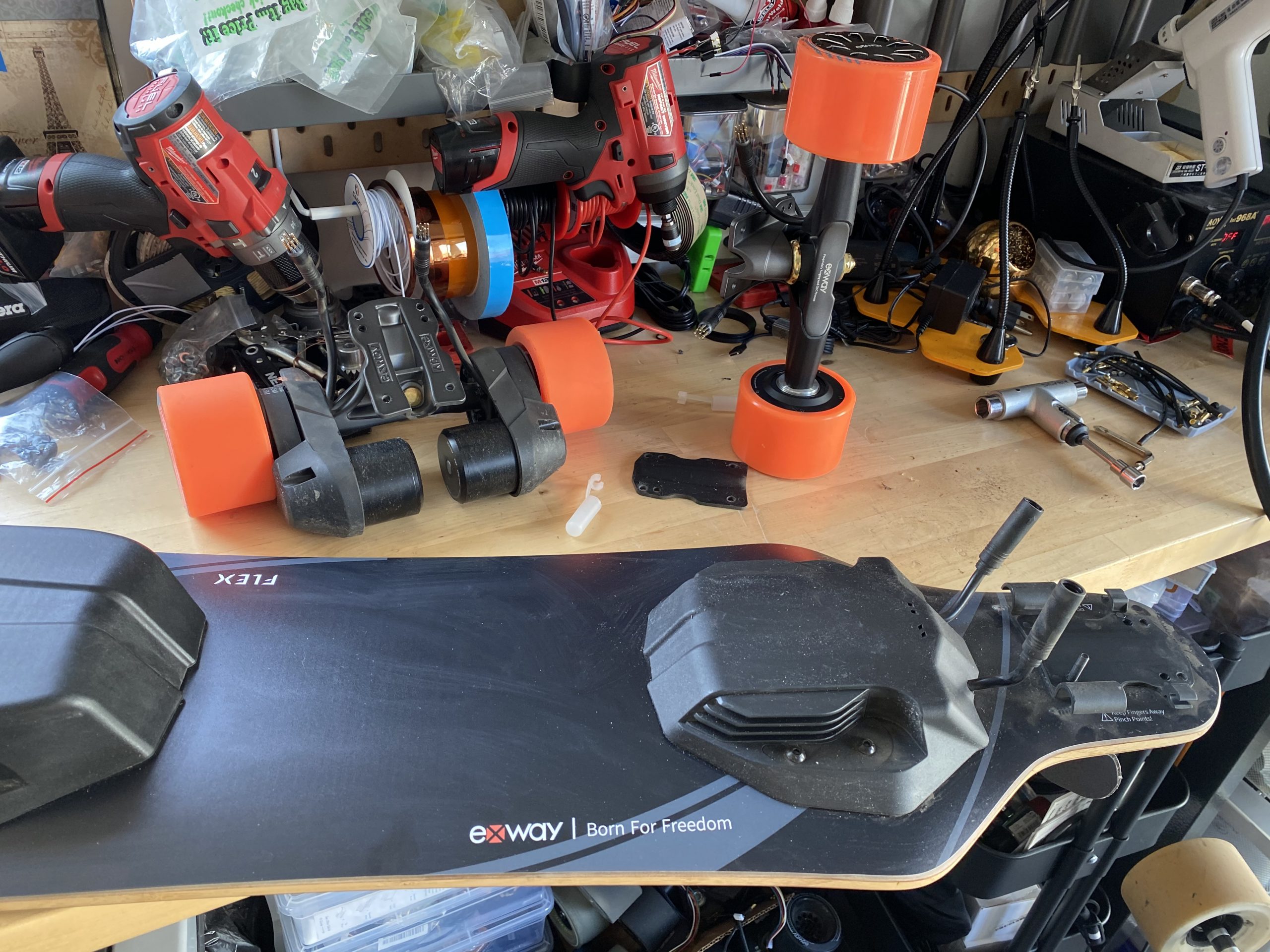
Speaking of swappable, let’s talk about drivetrain. In a really smart usability and no doubt financial move, Exway retained the hot swappable drivetrain. This means lower manufacturing cost for Exway, and more possibilities for the end user. Exway has two drivetrains available to Flex riders: belt drives called Riot V2, and hub motors. Swapping is as simple as removing the kingpin nut, unplugging the connectors, and swapping the trucks. No need to make the same dumdum mistake I made and remove the entire back truck and accidentally stretching the grip tape by trying. Just remember to toggle the drivetrain settings in the app. Easy Peasy.

Yes, I Know,

The similarities to the Boosted Dual+ aesthetics do not go unnoticed. However, I think the similarities are only on the surface. Upon actually riding the two boards, I think you’ll find that they are actually two totally different animals. The Boosted is more of a mellow, cruisy feel, whereas the Flex is a more direct, powerful feel. When I did drag races between the Boosted Stealth and the Flex, they had comparable torque off the line but the Flex had the advantage in top speed and ultimately won every heat. You would think that that’s contrary to how I said each board rode, but I think that just goes to show how much the rest of the hardware on each board influences the feel.

But the Flex had the top end every time

Marginal performance differences aside, I honestly feel that after Exway launches the Flex, there will be no point in spending the extra money on a Boosted Board anymore. The Flex goes longer on a charge, has more features, is lighter, and is way cheaper than Boosted’s top of the line offerings. Boosted’s aftersales service quality has dropped quite a lot since their heyday as has been reported by many frustrated users all over the internet, and even though Exway’s aftersales service is based in China, it’s actually been reported and observed to be quite good. So if you’re looking for the best balance between a commuter, go-faster, and fun carver, why consider anything else?

Why indeed

If you are interested in buying an Exway, be sure to check out our affiliate discount link here and uses code: “ESKATEHQ” during check out.
It will help you get a small monetary discount and helps us out too. On top of that, you’ll be tagged as an Electric Skateboard HQ customer and probably be treated better. Cheers!

Apsuboard X1 Review – Second swing for the belt-driven budget board

Foreword and Introductions

Apsuboard X1 is special, being the rare budget ($449) belt-driven longboard available on the market. For its price, it also carries an unusually large 10s4p 8AH battery. But we have been here before, haven’t we?

Long-time viewers might remember we reviewed the Apsuboard X1 last year (priced at $599 then) and heavily criticized its control:

We suggested the Apsu team change the ESC from LingYi to Hobbywing, and it turns out they took our advice. (Or it could be from not just us and they just say that to get on our good side.)

So, with the X1 already giving huge value on the specs, is a new ESC going to make it our new darling in the budget segment? Read on.

The Apsuboard X1 Review

This the specs of The Apsuboard X1:

  • Top Speed: 29mph (46kmh)
  • Range: 12.5mil (20km)
  • Weight: 15.4lbs (7kg)
  • Charge Time: 3.5hrs
  • Features: 2 belt motors, regenerative braking, handles up to 30% slope, remote.
  • Price: 599USD 449USD with shipping included.

Build Quality

Packaging

The bigger the battery, the less sophisticated the packaging it seems.
You can be sure that Apsuboard doesn’t invest in the unboxing experience. The board is well-protected with a foam pad, and that’s about it. It is as we have learned to expect from new Chinese brands.

Deck

Apsuboard X1 uses a 7-layer Maple + 1-layer bamboo deck. From the photo, I was expecting it to be the same generic deck as the Wowgo 2s or Ownboard W1S; I was proven wrong. As you may recall, I hate those generic decks for being completely flat. This deck that X1 uses has a subtle concave, helping my feet to feel comfortable. It also has as good a flex as the Wowgo/Ownboard deck.

Good deck, I am pretty happy with it.

Component Enclosures and ESC

Flipping the deck onto its back, we see the typical 2 enclosure setup. Apsuboard X1 uses an aluminum enclosure, which should be able to withstand more abuse than its plastic counterpart.

There is a USB port on the enclosure, in case you fancy using your 15lbs board as a power bank or, more practically, as an emergency power source to charge your remote.

It is pretty awesome to know they manage to pack 40 batteries into such a small footprint.

Inside the enclosure lies our typical Hobbywing ESC and the whole point of updating this review. The hope is, with a typical generic Hobbywing ESC, Apsuboard X1 can at least have a typical generic Hobbywing ESC’s control – because that would already have eliminated its greatest weakness and make it a good board!

ESC swap

Wheels

The Apsuboard X1 uses 90mm 80A wheels with an ABEC core. I wouldn’t say they are mind-blowingly good, but they are good enough.

There will be more on how the wheels impact the riding experience later.

Trucks

Apsuboard X1 uses a pair of generic Chinese trucks that can be found in most budget boards. They are okay, they don’t break, and are not the most maneuverable but hey, they are pretty stable.

Performance

Note: The range test and speed test were done with old LingYi ESC, because this happened before I got to do the test.

This is what happened when you drove hard into a drain.
I’m not injured, thanks for asking but WHO THE F**K LEFT THAT HUGE DRAIN UNCOVERED!?

Range

When a company claims a range of 17miles(27km), you can be sure that I will be putting that claim to test.

The Apsuboard X1 is rocking a 10s4p 288wh battery pack with 20R cell. On paper, 288wh can get you 28km or slightly over 17miles of range on a hub motor (using the formula of 10 wh = 1km of range).
With that being said, we all know that Belt drives use battery fast. I would ballpark it to last around 20km (12.5miles).

Sure enough, the board lasted 19.8km(12.4miles) before it completely stopped.

The board has pretty negligible sag though. It still goes up to 21mph(34km) at the very last few minutes. It pushes well up to the last half miles, slows down just a few minutes before it stops.

*I weigh around 154lbs (70kg) and was riding in a mostly flat area in a warm climate. 

Speed and Torque

According to Strava, I did manage to go over the marketed top speed and hit 29.5mph/47.5kmh. When the battery wasn’t full, the top speed (according to the remote) is around 26.7mph(43kmh).

The X1 uses two 1000W Motors, and being a belt-driven board, it has no issue climbing hills. It certainly accelerates fast, even at the higher speeds, reaching the top speed quickly and with ease. At no point will you feel that the board couldn’t push you as fast as you intend. The top speed felt more like an electronic setting than the physical limit.

The board is pretty stable for high-speed riding. Riding at 25mph (40kmh) is not too scary, which is good. We will discuss this more later.

Riding Experience:

Acceleration and Deceleration

After the switch to Hobbywing ESC, the smoothness on both acceleration and braking are not in question. Acceleration of Apsuboard X1 is the typical smooth acceleration from Hobbywing that we have known so well.

The braking is smooth now but too tame this time around, as expected from an un-customized Hobbywing ESC. This would be preferable for beginners who are usually unable to tolerate tighter brakes, but any seasoned veteran will agree that it’s too weak, especially when you REALLY need to stop.

With that said, this is still a HUGE improvement over their previous braking control on its LingYi ESC version. Huge, huge improvement.

Stability & Maneuverability

Apsuboard X1 strikes a good middle point of stability and maneuverability.

The generic truck is not too tight, but at the same time is not too turn-y, so speed wobble wasn’t a big issue with X1. The deck has enough flex to be comfortable and ease vibration but not too much to bounce you off the deck.

Vibration

The belt drive had a distinct advantage over the hub wheels in the smoothness of ride, as they have 2 real longboard wheels in place of 2 stiff hub motors.
Even with the generic 90mm 80A wheel that X1 is using, the board handles vibration better than any hub driven board could.

The use of a flexible deck further improves the experience.

In short, this board scores an A- in vibration handling.

Remote

Switching to Hobbywing ESC means we get the generic Hobbywing remote.

There are no telemetry readings and nothing fancy.
3 ride modes, forward and backward mode; just a typical, trustworthy remote that doesn’t drop the connection.

Customer Service

After more than a year in the business, the company still is pretty clean when it comes to reputation. No customer complaints found online, and I didn’t receive any anecdotal complaints from our viewers. Probably because they haven’t been selling enough boards to create enough sample size but, so far, no red flags.

My experience in dealing with them over the months has been pretty pleasant too. Fast and polite responses.

Verdict

So, the TL;DR version of this review:

The new Hobbywing of the Apsuboard X1 is a great deal for its price. At $449, there is simply no belt-driven longboard that competes with its value and riding experience.

Yes, the brake is tame, but there will be as many people who love it that way as those who see it as a deal-breaker.
Yes, the range may not be as good as marketed but still beats other budget boards of similar price soundly.

So yeah, a simple ESC change and a price cut 180-degreed my opinion on the Apsuboard X1. If you want a budget board with a slightly bigger battery than its peer, consider Apsuboard X1. If you want a budget belt-drive and don’t mind a soft brake, your best choice, for now, will have to be Apsuboard X1.

If you are interested in buying a Apsuboard board, be sure to check out our affiliate discount link here and uses code: “ESKATEHQ” during check out.
It will help you get a small monetary discount and helps us out too. On top of that, you’ll be tagged as an Electric Skateboard HQ customer and probably be treated better. Cheers!